

If you want the best eye comfort, you should consider how each display affects your eyes over time. The TFT display module, especially in its reflective form, may reduce blue light exposure and help protect your eyes from irritation. Studies show that blue light from screens can lead to visual fatigue and even long-term damage, particularly in children.
-
Reflective TFT display modules may offer a safer alternative to traditional luminous displays.
-
Prolonged screen time increases the risk of discomfort and eye strain.
|
Factor |
Description |
|---|---|
|
Display Type |
The technology behind the screen can impact ocular comfort and tear film stability. |
|
Screen Brightness |
High or low brightness levels can affect how comfortable your eyes feel. |
|
Blinking Patterns |
You tend to blink less when looking at screens, which can cause digital eye strain. |
|
Prolonged Screen Time |
Extended use, especially for work or study, adds to ocular stress. |
You should pay close attention to brightness, contrast, color, flicker, blue light, and cost when choosing the right display.
Key Takeaways
-
Choose reflective TFT displays to reduce blue light exposure and enhance eye comfort during prolonged use.
-
Adjust brightness and contrast settings on your display to minimize glare and reduce eye strain.
-
Consider monochrome LCD displays for long reading sessions, as they emit less blue light and are easier on the eyes.
-
Utilize the 20-20-20 rule: every 20 minutes, look at something 20 feet away for 20 seconds to prevent eye fatigue.
-
Invest in displays with features like DC dimming and blue light filters to support your eye health and comfort.
Display Types Overview
What is a tft display module
You encounter the tft display module in many modern devices, such as smartphones, tablets, and industrial equipment. This technology uses thin-film transistors to control each pixel individually. You benefit from vibrant colors, sharp images, and fast response times. The tft display module supports millions of colors through RGB subpixels, making it ideal for applications that require rich visuals and dynamic content. You notice that this module offers high brightness and contrast, which enhances readability in various lighting conditions.
Tip: If you need a display for multimedia or interactive interfaces, the tft display module delivers superior performance.
Monochrome LCD display basics
You see monochrome LCD displays in calculators, digital watches, and simple control panels. This display type uses a passive matrix structure, which means it lacks transistors for individual pixel control. You observe only one color, usually black, white, or green, depending on the application. Monochrome LCD displays have a simpler design and fewer components, which makes them cost-effective and reliable for basic tasks. You rely on these displays when you need clear text or simple graphics without the distraction of color.
Visual differences
You can compare the two display types using the table below:
|
Feature |
TFT Display Modules |
Monochrome LCD Displays |
|---|---|---|
|
Nature |
Active display with transistors in each pixel |
Passive display without transistors |
|
Color Capability |
Millions of colors via RGB subpixels |
Single color output |
|
Pixel Control |
Individual control for brightness and color |
Limited control, ON/OFF states |
|
Image Quality |
High resolution, vibrant colors |
Monochrome, basic graphics |
|
Response Time |
Fast (around 80 ms) |
Slower |
|
Viewing Angles |
Wide (approx. 130 degrees) |
Narrower |
|
Complexity |
Advanced electronic circuits |
Simple structure |
-
You experience high-speed, high-brightness, and high-contrast effects with a tft display module.
-
You find monochrome LCD displays easier on the eyes for prolonged reading, but they lack the visual appeal of the tft display module.
Note: If you value image quality and color, the tft display module stands out. If you prefer simplicity and cost savings, monochrome LCD displays offer a practical solution.
Eye Comfort Comparison
Brightness and contrast
You notice that brightness and contrast play a major role in eye comfort during long viewing sessions. TFT display modules deliver higher brightness levels compared to monochrome LCD displays. You often see TFT screens in laptops and home appliances with brightness ranging from 200 to 300 nits. Industrial and embedded LCDs reach 300 to 500 nits, while high brightness TFT LCDs can exceed 700 nits and sometimes reach 1500 nits or more.
|
Display Type |
Brightness Level (nits) |
|---|---|
|
Typical Laptop/Home Appliance |
200 - 300 nits |
|
Standard Industrial/Embedded LCD |
300 - 500 nits |
|
High Brightness TFT LCD |
700 - 1500 nits or higher |
You benefit from adjustable brightness, which helps reduce glare and strain. Monochrome LCD displays usually offer lower brightness, making them suitable for environments where you want to avoid excessive glare. When you compare contrast ratios, monochrome LCDs can achieve higher ratios due to their simple design and material properties. Premium monochrome displays often exceed 1000:1, while industrial TFT LCDs range from 1000:1 to 1500:1. You experience sharper text and clearer images with higher contrast, which reduces strain during long viewing sessions.
-
Monochrome LCDs use liquid-crystal materials that enhance contrast.
-
TFT displays provide high contrast, improving detail visibility and minimizing glare.
Tip: Adjusting brightness and contrast on your display can help minimize glare and reduce eye strain, especially during long viewing sessions.
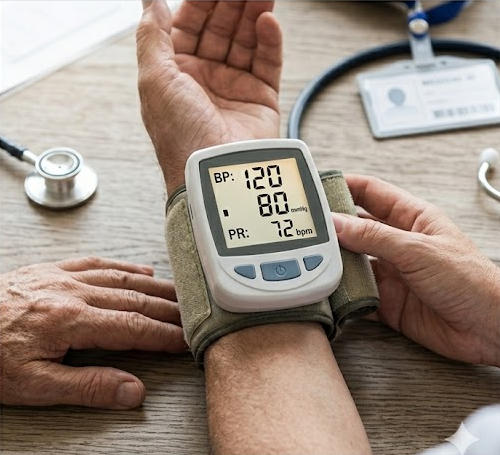
Color and viewing angles
You rely on color accuracy and wider viewing angles for comfortable use. TFT display modules offer millions of colors, which improves color accuracy and visual appeal. You find that IPS panels maintain image quality and contrast across wider viewing angles, unlike standard TFT displays that may suffer from color and contrast degradation when viewed from the side. You benefit from a viewing cone greater than 160 degrees with TFT displays, while standard STN LCD displays require you to view from specific angles, such as 12, 3, 6, or 9 o'clock.
-
IPS panels deliver consistent color accuracy and wider viewing angles.
-
TFT displays enhance detail visibility with contrast ratios above 300:1.
-
Monochrome LCDs provide basic graphics and limited color accuracy, which can reduce strain for reading but lack visual richness.
You experience less glare and strain when you use displays with wider viewing angles and high color accuracy. During long viewing sessions, you notice that consistent color accuracy helps prevent eye strain and discomfort.
Flicker and DC dimming
You often encounter flicker in displays that use PWM dimming, which can cause eye strain and discomfort. TFT display modules with DC dimming offer a solution. DC dimming reduces flicker, making these displays considered least harmful to your eyes.
|
Display Technology |
Dimming Method |
Eye Comfort Impact |
|---|---|---|
|
TFT with DC Dimming |
DC Dimming |
Considered least harmful to eyes |
|
OLED |
PWM Dimming |
More harmful to eyes |
You benefit from DC dimming because it minimizes strain and reduces the risk of headaches and visual discomfort. Monochrome LCD displays rarely use PWM dimming, so you experience less flicker. However, you may still face strain from prolonged use, especially if the display lacks proper brightness adjustment.
Note: Choosing displays with DC dimming can help you avoid digital eye strain and reduce glare during long viewing sessions.
Blue light and eye comfort
You face blue light emissions from most electronic displays, which can contribute to digital eye strain. Prolonged screen time exposes you to blue light, leading to symptoms such as dry eyes, irritation, and difficulty focusing.
Prolonged screen time can lead to digital eye strain, which includes symptoms such as dry eyes and discomfort. Blue light emitted from screens is a contributing factor to this strain.
Prolonged exposure to blue light can lead to digital eye strain, characterized by dry eyes, irritation, and difficulty focusing.
The potential digital eye strain induced by prolonged exposure to blue light emitted by digital screens is of particular interest, highlighting symptoms like eye fatigue and discomfort.
You notice that TFT display modules emit more blue light compared to monochrome LCD displays. You experience more strain and discomfort during long viewing sessions with TFT screens, especially if you do not use blue light reduction features. Monochrome LCD displays produce minimal blue light emissions, which helps reduce strain and eye fatigue.
You often complain about brightness, contrast, and blue light emissions when using TFT display modules. High resolution and clarity can minimize squinting and excessive focusing, reducing strain. With monochrome LCD displays, you may report visual discomfort, headaches, blurred vision, burning and dry eyes, and light sensitivity. You experience after-images and eye fatigue during extended use.
-
Prolonged use of visual display terminals can lead to symptoms such as eye pain, blurred vision, and dry eyes.
-
Physiological factors like inadequate tear secretion and ocular muscle metabolism contribute to strain and visual fatigue.
-
Frequent gaze switching between video and text can exacerbate strain and discomfort.
Tip: You can reduce eye strain by using displays with blue light reduction features and adjusting brightness to minimize glare.
Eye Comfort with IPS Panels
Benefits of IPS for eye comfort
You experience a noticeable improvement in eye comfort with ips panels. IPS technology uses a unique alignment of liquid crystals, which allows you to view the screen from wider angles without losing clarity or color accuracy. You see consistent brightness and contrast across the entire display. This uniformity reduces the need to adjust your viewing position, helping you avoid unnecessary strain.
You benefit from the benefits of ips displays because they minimize color distortion and maintain sharpness. You find that the benefits of ips lcds for eye health include reduced glare and less eye fatigue during extended use. IPS panels often feature anti-reflective coatings, which help you work comfortably in bright environments. You can rely on these panels for tasks that require precise color reproduction, such as graphic design or reading detailed charts.
Tip: You should choose IPS panels if you spend long hours in front of screens. The technology supports your eye health and comfort.
Comparing IPS TFT to monochrome LCD
You compare IPS TFT displays to monochrome LCDs by looking at several factors. IPS panels deliver vibrant colors and wide viewing angles, while monochrome LCDs provide basic visuals with limited color and narrower angles. You notice that IPS screens offer higher brightness and better contrast, which makes text and images easier to see.
|
Feature |
IPS TFT Display |
Monochrome LCD Display |
|---|---|---|
|
Color |
Full color spectrum |
Single color |
|
Viewing Angle |
Wide (up to 178°) |
Narrow |
|
Brightness |
High, adjustable |
Lower, fixed |
|
Eye Comfort |
Enhanced |
Moderate |
You find that eye comfort with ips panels stands out, especially when you need to read or work for long periods. Monochrome LCDs reduce blue light exposure, but they lack the visual clarity and flexibility of IPS displays. You should weigh your needs for color, clarity, and comfort before making a choice.
Reducing Eye Strain in Daily Use
Usage scenarios
You encounter TFT display modules and monochrome LCD displays in many daily environments. TFT screens appear in consumer electronics, commercial signage, and industrial controls. Monochrome LCDs often show up in calculators, medical devices, and control panels. You rely on TFT displays for vibrant visuals and interactive interfaces, while monochrome LCDs provide clear text and simple graphics. The table below highlights typical applications:
|
Application Type |
Conditions |
Representative Brands |
|---|---|---|
|
Industrial-grade |
Extreme environments, safety-critical scenarios |
Advantech, Beckhoff, Elo |
|
Commercial-grade |
Extended operation, custom features |
LG, NEC, Planar |
|
Consumer-grade |
Home/office, limited budget, mild environment |
Samsung, Dell, AOC |
Monochrome LCDs offer excellent readability under ambient light and operate on low voltage. You benefit from their eye-friendly display features in situations where you need to minimize glare and avoid distractions.
User feedback on eye strain
You hear from users who prefer FHD IPS monitors for their eye-friendly display qualities. Many report reduced eye strain after switching to IPS LCDs, especially due to adjustable brightness and lower blue light emissions. One user noted a significant improvement in comfort after upgrading to an FHD IPS HDR monitor. You find that monochrome LCD displays also receive positive feedback for long reading sessions, as they emit minimal blue light and provide consistent clarity. You value these displays for their ability to reduce fatigue during extended use.
-
Users appreciate adjustable brightness and color consistency.
-
You notice fewer complaints about headaches and discomfort with eye-friendly display technologies.
Note: You should consider both display type and user feedback when choosing a screen for reducing eye strain.
Tips for reducing eye strain
You can follow several expert tips for reducing eye strain with both display types:
-
Adjust brightness and contrast to match ambient lighting. Aim for 100-150 cd/m2 in office conditions.
-
Use warm color temperature settings or software to lower blue light exposure.
-
Enable DC dimming or flicker-free mode on TFT displays to minimize flicker.
-
Take frequent breaks using the 20-20-20 rule: every 20 minutes, look at something 20 feet away for 20 seconds.
-
Add ambient bias lighting in dark rooms to reduce strain from bright screens.
-
Position light sources at a 90-degree angle to your screen to minimize glare and reflections.
-
Use soft ambient lighting and avoid excessive brightness in your workspace.
Tip: You can create an eye-friendly display environment by combining proper settings and workspace adjustments. These tips for reducing eye strain help you maintain comfort during long sessions.
Cost and Choosing the Right Display
Price differences
When you compare display options, you notice that price can vary widely based on features and size. TFT display modules, especially those with ips technology, often cost more than basic monochrome LCD displays. You pay a premium for advanced features like touch capability, sunlight readability, and wide viewing angles. The table below shows typical price ranges for popular display types:
|
Display Type |
Price Range |
|---|---|
|
4.3" TFT Display Module |
$21.02 - $24.20 |
|
3" EVE TFT Display |
$51.62 - $59.44 |
|
4.3" Resistive Touchscreen TFT Display |
$25.35 - $29.19 |
|
4.3" Capacitive Touchscreen TFT Display |
$29.34 - $33.78 |
|
4.3" Sunlight Readable TFT Display |
$17.99 - $20.71 |
|
5" Capacitive Touchscreen TFT Display |
$45.88 - $70.75 |
|
2.8" 240x320 IPS TFT Display |
$17.53 - $20.90 |
|
4" IPS TFT Display |
$19.38 - $22.63 |
|
5.2-inch Bar-type TFT Display |
$47.54 - $69.98 |
|
5" IPS Sunlight Readable Resistive Touchscreen TFT |
$25.03 - $28.82 |
You find that monochrome LCD displays usually cost less because they use simpler technology and fewer components. If you want to maximize your budget, these displays offer a cost-effective solution for basic tasks.
Balancing budget and eye comfort
You need to balance your budget with your eye health when choosing a display. If you spend long hours in front of digital screens, you should prioritize features that support eye health. Look for ips displays with flicker-free technology and blue light filters. These features help reduce eye strain and protect your health during extended use.
-
Choose displays with adjustable brightness and blue light reduction.
-
Consider ips displays for wide viewing angles and consistent color, which support eye health.
-
Select monitors designed for productivity and comfort if you use digital screens for work or study.
-
Consult a healthcare professional if you experience eye discomfort before making a purchase.
You improve your eye health by investing in displays that use ips technology and blue light reduction. While these options may cost more, you gain better comfort and long-term health benefits. If you have a limited budget, monochrome LCD displays still provide a safe choice for eye health, especially for reading or simple tasks.
Tip: Always check for features that support eye health, such as blue light filters and flicker-free operation, before you decide on a display.
You gain better eye comfort with monochrome LCD displays for long reading sessions, while IPS TFT modules excel in color accuracy and clarity for vibrant visuals. Most studies show that certain display types reduce eye fatigue and support your well-being. To protect your eye health, follow these steps:
-
Adjust screen brightness and contrast.
-
Blink often and use the 20-20-20 rule.
-
Maintain proper distance and reduce glare.
-
Schedule regular eye exams.
You enhance your eye comfort by combining the right display choice with healthy habits.
FAQ
What display type is best for long reading sessions?
You should choose a monochrome LCD display for extended reading. It emits less blue light and reduces eye fatigue. You will find it easier to focus on text without distractions from color or glare.
Do TFT displays always cause more eye strain?
You may experience more eye strain with TFT displays if you use high brightness or lack blue light filters. Modern TFT modules with IPS panels and DC dimming can minimize discomfort. Adjust settings for optimal comfort.
How can you reduce blue light exposure on any display?
You can enable blue light reduction features or use software filters. Lowering screen brightness and using warmer color temperatures also help. Many devices offer built-in blue light modes for eye protection.
Are IPS panels worth the extra cost for eye comfort?
You benefit from IPS panels if you value wide viewing angles and consistent color. These panels reduce glare and maintain clarity, which supports eye comfort during long work or study sessions.
 Network Supported