

Compact TFT displays come in five common resolutions: 320x240 (QVGA), 640x480 (VGA), 480x272, 800x480, and 1024x600. Each option shapes four things you will live with every day: cost, readability, interface compatibility, and power consumption. A small screen with too many pixels drains your battery and strains your processor. Too few pixels make text and icons hard to read. You also need a panel that matches your host interface without extra conversion chips. This article explains what each resolution suits and which specs matter most. It also shows how GOLDEN VISION helps you pick a Custom TFT LCD Display that fits your product.
Key Takeaways
-
Choose 320x240 for low-power handheld devices to save battery and reduce processor load.
-
Pick 640x480 for general-purpose displays like instruments and medical devices that need more detail.
-
Select 480x272 for a balance of size and readability in portable meters and home panels.
-
Use 800x480 for sharp, detailed screens in diagnostic and medical applications.
-
Consider 1024x600 for high-density displays in CAD viewers and automotive dashboards.
-
Match resolution to your viewing distance, interface, and power budget for the best results.
-
GOLDEN VISION offers custom TFT displays tailored to your outline, brightness, and volume needs.
Common Resolutions: QVGA and VGA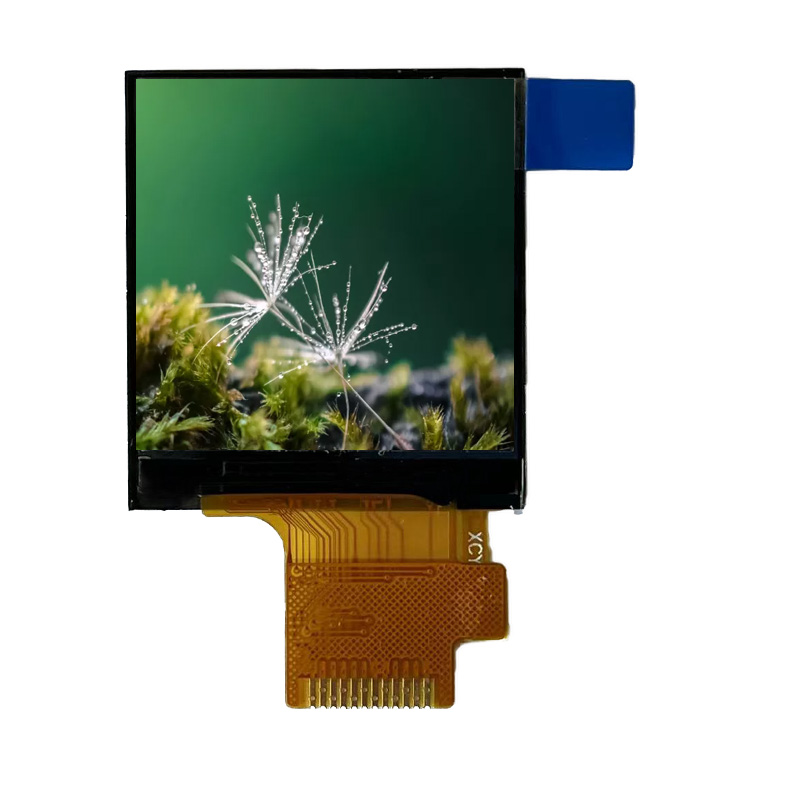
320x240 QVGA for Low-Power Devices
QVGA packs 320 by 240 pixels into a small panel. That pixel count suits handheld and battery-powered products. A 2.8-inch tft with a resolution of 240*320 is the portrait version of the same grid, so you see this format across small handhelds. The 2.8 inch tft keeps the pixel clock low, and a low pixel clock cuts processor load and power draw. You can drive a 2.8-inch tft over SPI, MCU, or RGB, and SPI remains the simplest path for a small microcontroller. Many 2.8-inch tfts run on modest backlight power, which extends battery life in portable tools. A 1.50 lnch TFT LCD Display often follows the same logic at an even smaller size.
The 240x320 dot matrix color screen module is a familiar building block for budget products. Engineers pick a 2.8-inch tft when they need a readable menu, a status screen, or a simple gauge. The 2.8 inch tft handles those jobs without a graphics processor. A 2.8-inch tft with a resolution of 240320 also keeps memory use low, so a small frame buffer fits on-chip. Designers who compare the common resolutions of 2.8-inch tfts usually land on this grid for cost-sensitive designs. The 2.8-inch tft resolutions stay limited by design, and that limit is the point. A 2.8-inch tft with a resolution of 240320 delivers clear text at close viewing distance. Most 2.8-inch displays in this class accept SPI and MCU interfaces, and panel brightness varies by model.
640x480 VGA for General-Purpose Displays
VGA offers 640 by 480 pixels, and it works as a general-purpose format. The extra pixels support denser text, charts, and image previews. You will find VGA panels in instruments, medical devices, and industrial controls. Interface options include RGB and MCU, and many modules add LVDS for longer cable runs. The table below shows brightness and temperature data for several 7.5-inch VGA panels.
|
Part Number |
Resolution |
Luminance (nits) |
Temp Range (°C) |
|---|---|---|---|
|
TCG075VGLEAANN-GN00 |
640x480 |
400 |
-20 to 70 |
|
TCG075VGLDA-H50 |
640x480 |
400 |
-20 to 70 |
|
TCG075VGLCE-G00 |
640x480 |
280 |
-20 to 70 |
|
TCG075VGLDH-G20 |
640x480 |
250 |
-20 to 70 |
|
TCG075VGLDA-G00 |
640x480 |
250 |
-20 to 70 |
Every listed model shares an operating range of -20 to 70 °C, and brightness spans 250 to 400 nits. The chart below compares those luminance levels.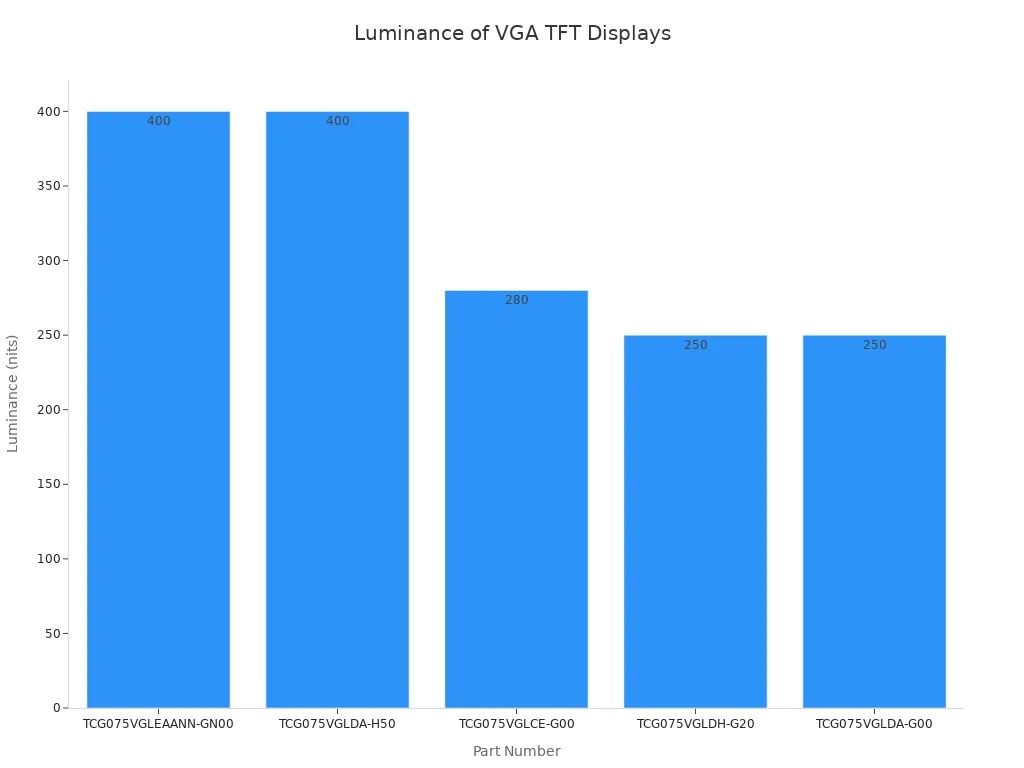
A 2.8 inch tft rarely reaches VGA, so treat VGA as a step up in size and detail. The 2.8-inch tft still wins on power, and VGA wins on information density. Match the resolution to your viewing distance and your interface budget.
480*272 4.3 Inch LCD Display
Most 4.3 inch TFT LCDs use either 480x272 pixels or 800x480. The 480*272 option balances compact size with a readable user interface. You get enough room for menus, icons, and short labels without pushing the pixel clock high. That balance explains why so many handheld and embedded products settle on this grid.
Typical Applications
A 480*272 4.3 inch lcd display fits products that need a small screen with clear graphics. Portable instruments, test meters, home automation panels, and handheld terminals all use this format. The 4.3 inch tft lcd screen also suits automotive accessories and budget navigation devices. You can show a full menu on a 4.3 inch lcd screen without scrolling. The 4.3 inch size stays easy to mount in a compact enclosure. Many designers choose a 4.3 inch lcd display when a 2.8-inch panel feels too small and a 5-inch panel feels too large. A 4.3 inch lcd module in this class keeps the bill of materials modest.
Key Specifications
Brightness varies by variant. One 480*272 lcd reaches 900 nits, and a second version delivers 850 nits. Both use the SC7283 driver IC and an RGB interface. The outline measures 105.4x67.15x2.85 mm on the thinner variant and 105.4x67.15x4.35 mm on the thicker one. Both share an active area of 95.04x53.86 mm. The 4.3 inch tft lcd displays accept RGB wiring, and some models add SPI for simpler hosts. Operating temperature range and panel type are not fixed across the family, so confirm them with your supplier. You can specify a TN panel for cost or an IPS TFT LCD Display Module for wider viewing angles. Each 4.3 inch lcd display ships with a defined brightness grade. Ask for the 4.3 inch tft lcd display that matches your enclosure depth. A 4.3 inch lcd display with the thinner outline saves space. The 4.3 inch tft lcd screen works across indoor and outdoor products when you pick the right brightness. Every 4.3 inch lcd display should match your interface plan. Choose the 4.3 inch lcd display that fits your power budget.
800*480 4.3 Inch LCD Display
Industrial and Consumer Use Cases
Some products need more detail than 480x272 can offer on a 4.3 inch screen. The 800*480 4.3 inch lcd display answers that need. You get 800x480 pixels in the same compact footprint, so text, icons, and graphs stay sharp at close range. Industrial handhelds use this grid for diagnostic screens and parameter entry. Consumer devices use it for media players, smart home controllers, and portable test gear. A 4.3 inch tft lcd display with this pixel count also suits medical monitors and point-of-sale terminals. The 4.3 inch lcd display shows more information without a larger enclosure. That advantage matters when your product design is already fixed. GOLDEN VISION supplies this format as a standard 4.3 inch lcd module and as a Custom TFT LCD Display built to your outline and interface plan.
Brightness and Interface Options
Brightness separates one 800*480 lcd from another. A high-brightness 4.3 inch tft lcd screen reaches 1200 nits, and that level stays readable in direct sunlight. The same 4.3 inch lcd display uses an IPS, transmissive panel with a full viewing angle. You can mount it at an angle and still read the screen. The 4.3 inch tft lcd displays in this family run on 3.3V and use the EK9716B controller. Interface support centers on 24-bit parallel RGB, and the connection uses a 40-pin 0.5mm pitch FFC. That ribbon suits thin enclosures and short cable runs. The 4.3 inch tft lcd screen pairs well with hosts that already output RGB. Check your processor's RGB timing against the panel before you commit. The 4.3 inch lcd display also comes in lower brightness grades for indoor products. Ask GOLDEN VISION which 4.3 inch lcd display fits your power and sunlight requirements.
1024x600 and Higher Resolutions
When High Pixel Density Matters
A 1024x600 panel packs 614,400 pixels into a compact frame. That density changes what you can show. Small fonts stay legible, detailed diagrams hold their shape, and medical scans read without eye strain. You gain this clarity on a screen that still fits a handheld enclosure.
The table below shows where that extra density earns its cost.
|
Application Area |
Why High Pixel Density Matters |
|---|---|
|
Professional and industrial environments |
Small fonts, detailed diagrams, and medical scans stay readable without eye strain |
|
Engineering, architecture, and design |
CAD drawings, control systems, and precision monitoring stay clear on smaller screens |
|
Smartphones, tablets, and laptops |
Streaming, gaming, and productivity improve on thin, energy-efficient screens |
|
Automotive dashboards and infotainment |
Navigation maps, safety alerts, and multimedia share one streamlined interface |
|
Gaming and VR headsets |
Higher PPI reduces the screen door effect for greater realism |
Panel and Interface Considerations
Interface choice becomes the primary technical decision once you select your MCU or MPU. Common options include HDMI, Serial, and RGB-parallel. Only a limited number of signal lines enter the panel, so a driver IC receives digital image data over the FFC ribbon and outputs analog voltages with precise timing per RGB pixel. Low-resolution displays often integrate a frame buffer and controller, while higher-resolution panels rely on external controllers matched to the interface.
A typical 1024x600 IPS TFT LCD Display Module runs on 3.3 V with a 50-pin RGB interface and 1000 cd/m² brightness. The IPS panel holds an 85°/85°/85°/85° viewing angle with a contrast ratio of at least 10. Its module measures 164.8 × 100 × 5.5 mm, with an active area of 154.21 × 85.92 mm. Confirm your host controller supports the RGB timing, and plan clearance for the FPC, connector, and backlight driver. High-brightness backlights need thermal review. Touch adds another trade-off: capacitive touch can be hard to use during vibration and carries a glossy finish, while a matte anti-glare display reads better in sunlight.
Choosing Resolutions for Compact TFT Displays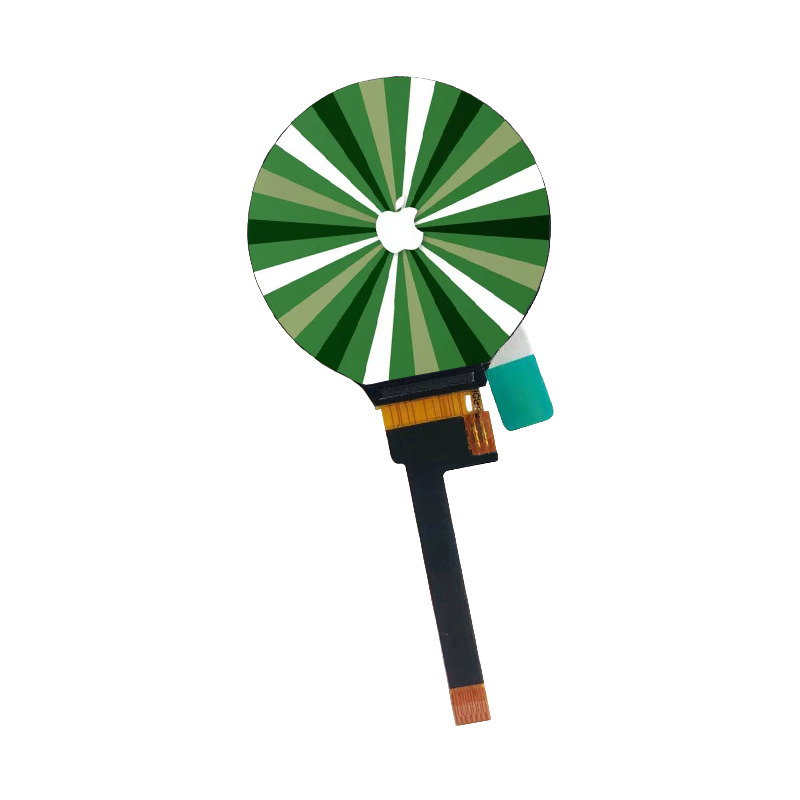
Matching Resolutions to Application Needs
You now have five grids to weigh. The table below puts them side by side so you can compare applications, brightness, interfaces, and panel types at a glance.
|
Resolution |
Typical Applications |
Brightness |
Interfaces |
Panel Types |
|---|---|---|---|---|
|
320x240 (QVGA) |
Handheld tools, status screens, budget menus |
Modest backlight power |
SPI, MCU, RGB |
TN |
|
640x480 (VGA) |
Instruments, medical devices, industrial controls |
250 to 400 nits |
RGB, MCU, LVDS |
TN |
|
480*272 |
Portable instruments, meters, home panels |
850 to 900 nits |
RGB, some SPI |
TN or IPS |
|
800*480 |
Diagnostic handhelds, medical monitors, POS terminals |
Up to 1200 nits |
24-bit parallel RGB |
IPS, transmissive |
|
1024x600 |
CAD viewers, automotive dashboards, gaming |
1000 cd/m² |
HDMI, Serial, RGB |
IPS |
Start with your use case. Visual-detail-intensive work such as CAD or medical imaging rewards a denser grid. A simple status screen does not. Viewing distance matters too. A panel held close to the eye reads well at a lower pixel count, and a screen viewed from across a room needs more pixels. Bright environments push you toward higher brightness grades. Your host hardware sets a hard limit as well. A small microcontroller cannot drive a 1024x600 panel without an external controller, and a high pixel clock raises power draw in battery-powered products.
Cost, Performance, and GOLDEN VISION Support
Higher pixel counts raise unit cost, processor load, and power consumption. Lower counts save money and simplify integration, yet they can look pixelated on a larger screen. Weigh sharper visuals against those demands before you lock a specification. Availability matters just as much as price. A grid that ships from stock shortens your schedule, and a custom build stretches it.
This is where GOLDEN VISION helps. The company supplies a Custom TFT LCD Display built to your outline, interface, and brightness plan. Minimum order quantity starts from one sample, and lead times run two to eight weeks depending on specification, customization, and quantity. Engineers receive assistance with TFT, FPC, touch, and bonding customization, and projects move from prototypes through mass production. A 4.3 inch 800*480 module suits a prototype that needs more detail, and a 4.3 inch panel with a simpler grid suits a cost-sensitive build. You can request a 4.3 inch unit with a redesigned FPC, a specific pinout, or an added touch layer. Brightness and viewing angle can be tailored as well. A 1.50 lnch TFT LCD Display covers designs that need a tiny square screen instead.
Ask for published MOQ and lead-time terms early, so your supply schedule stays realistic. Compare two or three candidate grids against your power budget and your processor's timing limits. Then confirm the panel type. An IPS TFT LCD Display Module gives wide viewing angles for a 4.3 inch product mounted at an angle, and a TN panel lowers cost for a straight-on viewer. Treat the 4.3 inch size as a starting point, not a fixed answer. A 4.3 inch screen with the right grid often beats a larger panel that strains your enclosure. Share your requirements with GOLDEN VISION, and the team will match a 4.3 inch configuration to your project stage and volume.
You now have a clear map of the five common resolutions for compact tft displays. QVGA (320x240) serves low-power handhelds, VGA (640x480) covers instruments and industrial controls, 480x272 fits portable meters and home panels, 800x480 sharpens diagnostic and medical screens, and 1024x600 suits CAD viewers and dashboards. Each choice trades cost, readability, and power. No single resolution wins on every count, so weigh application needs, specifications, and budget together. Match the grid to your viewing distance, host interface, and power plan before you lock a spec. GOLDEN VISION can tailor a Custom TFT LCD Display to your outline, brightness, and volume. Reach out to GOLDEN VISION for a tailored build.
FAQ
Which resolution should you pick for a battery-powered handheld?
Start with 320x240 QVGA. It keeps the pixel clock low and cuts processor load and power draw. You can drive it over SPI with a small microcontroller. Step up only when your interface needs denser text or charts.
How bright does a 4.3-inch screen need to be outdoors?
A high-brightness 800x480 panel reaches 1200 nits and stays readable in direct sunlight. Indoor products can use lower grades. Confirm the brightness grade with your supplier before you lock the spec.
Do you need wide viewing angles for a compact display?
It depends on mounting. An IPS TFT LCD Display Module holds an 85°/85°/85°/85° viewing angle, so an angled mount stays readable. A TN panel lowers cost for a straight-on viewer. Match the panel type to how users face the screen.
Can you customize a compact TFT display for your product?
Yes. A Custom TFT LCD Display can match your outline, pinout, FPC, touch layer, and brightness plan. Minimum order quantity starts from one sample, and lead times run two to eight weeks. Share your requirements early.
What suits a very small square screen?
A 1.50 lnch TFT LCD Display covers designs that need a tiny square screen. Many compact tft displays in this class follow the same low-power logic as QVGA panels. Confirm the interface and brightness grade with your supplier.
 Network Supported