

You often hear about the pros and cons of OLED when shopping for a new display. OLED stands out for its vivid colors, accurate black levels, and thin, flexible design. You get wide viewing angles and fast response times, which enhance your viewing experience. At the same time, OLED faces challenges such as a shorter lifetime, risk of burn-in, and higher manufacturing costs. The table below highlights the most commonly cited strengths and weaknesses:
|
OLED Pros |
OLED Cons |
|---|---|
|
Thin, flexible design |
Shorter lifetime |
|
Wide viewing angles |
Higher cost |
|
Vivid colors, deep blacks |
Burn-in risk |
|
Fast response time |
Brightness issues |
As you explore OLED, consider how these features align with your needs.
Key Takeaways
-
OLED displays offer vibrant colors and deep blacks, enhancing your viewing experience.
-
Consider the shorter lifespan and higher cost of OLED when making a purchase decision.
-
Avoid burn-in by changing content regularly and not leaving static images on the screen.
-
Evaluate your viewing environment; OLED performs best in dimly lit rooms.
-
For dynamic content like movies and games, OLED provides superior performance.
what is oled?
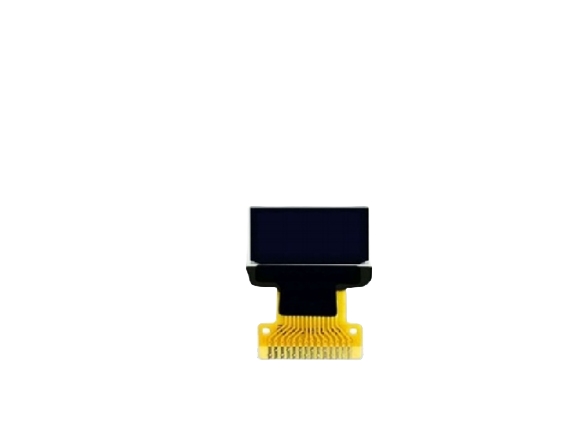
OLED stands for Organic Light-Emitting Diode. You encounter this technology in modern TVs, smartphones, and monitors. OLED displays use organic materials to produce light, which sets them apart from traditional LCD and LED screens. You benefit from OLED’s ability to deliver high contrast and vibrant colors because each pixel emits its own light. This section explains how OLED works and the types of OLED displays you might find.
how oled works
You see OLED technology operate through a unique process. When you apply a positive voltage to the anode and a negative voltage to the cathode, a strong electric field forms. This field attracts holes from the anode and electrons from the cathode. These charge carriers move through their respective transport layers and reach the emissive layer. Here, they recombine and form excitons, which release energy as light. The color depends on the energy gap of the organic materials used.
OLED panels contain several layers, each with a specific function. You can review the main layers in the table below:
|
Layer Type |
Function |
|---|---|
|
Encapsulation Materials |
Protect organic layers from water and oxygen; include light extraction materials. |
|
Cathode Evaporation Materials |
Serve as the negative electrode for electron injection. |
|
Electron Transport Layer (ET) |
Facilitates electron transport to the emissive layer. |
|
Hole-Blocking (HB) Materials |
Enhance emission efficiency by transporting carriers. |
|
Emissive Layer (EM) |
Contains red/green/blue materials that emit light when excitons recombine. |
|
Electron-Blocking (EB-Prime) |
Improve efficiency by preventing electrons from recombining prematurely. |
|
Hole Transport Layer (HT) |
Assist in the transport of holes to the emissive layer. |
|
Hole Injection (HI) Materials |
Aid in the injection of holes from the anode. |
oled display types
You find several types of OLED displays, each suited for different applications. The most common types include:
-
Passive-matrix OLED (PMOLED): You see these in small screens, such as wearable devices and simple displays.
-
Active-matrix OLED (AMOLED): You encounter these in smartphones, TVs, and monitors. AMOLED offers better control and higher resolution.
-
Transparent OLED: You notice these in futuristic displays, where transparency is needed for design or advertising.
-
Flexible OLED: You benefit from these in foldable phones and curved screens, thanks to their bendable structure.
When you compare OLED to LCD and LED, you notice key differences. OLED screens let each pixel emit light independently, which results in deep blacks and high contrast. LCD screens rely on a backlight, so they cannot achieve the same level of color accuracy or contrast. OLED panels use organic materials and are thinner, while LCD panels use liquid crystals and require a backlight.
pros and cons of oled
oled pros overview
You encounter many key advantages when you choose OLED technology. OLED panels deliver impressive performance and design flexibility. You notice that the pros and cons of OLED often center on picture quality, energy efficiency, and innovative features. Here are the main benefits you experience:
-
Thin and flexible panels: OLED displays can be less than 1 mm thick. You gain access to curved, foldable, and even rollable screens.
-
Wide viewing angles: You see consistent colors and contrast from almost any position, with angles close to 180°.
-
Vivid colors and accurate black levels: OLED produces high color saturation and true blacks. Each pixel emits its own light and can turn off completely.
-
Fast response times: You enjoy microsecond-level response, which reduces motion blur and enhances gaming or sports viewing.
-
Good low-temperature performance: OLED operates reliably in harsh environments, even down to -40°C.
-
Energy efficiency for dark content: You save power when displaying dark images. OLED pixels turn off individually, cutting power usage by about half in dark mode.
-
Simpler fabrication potential: OLED manufacturing could become easier, which may lower costs in the future.
-
Transparent display potential: You benefit from new applications, such as see-through screens for retail or automotive use.
OLED stands out for its ability to deliver deep blacks, vibrant colors, and flexible designs. You find these features especially valuable in premium TVs, smartphones, and innovative devices.
|
Display Type |
Energy Efficiency |
Key Features |
|---|---|---|
|
OLED |
Superior when displaying dark content |
Pixels emit light individually and can turn off completely |
|
LCD |
Requires constant backlighting |
Consistent power usage regardless of content |
You see that OLED displays use less power for dark content, while LCD panels consume most of their energy for backlighting regardless of what you view.
oled cons overview
You also need to consider the trade-offs when evaluating the pros and cons of OLED. OLED technology faces several challenges that affect durability, cost, and performance. Here are the main disadvantages you encounter:
-
Shorter lifetime: Organic materials degrade from exposure to oxygen and moisture. You may notice that OLED panels last around 5,000 hours, which is less than many LCD screens.
-
Higher manufacturing cost: OLED production uses expensive organic materials and precision equipment. You pay more for OLED devices compared to other display types.
-
Brightness nonuniformity: Individual OLED pixels age differently. You might see uneven brightness across the screen over time.
-
Color fidelity issues: Some OLED materials shift color as they age. You may experience changes in color purity.
-
Lower pixel density (relative): Certain OLED panels offer fewer pixels per inch than LCDs. You could see less sharpness in some models.
-
Burn-in risk: Static images can cause uneven aging and image retention. You need to avoid leaving the same image on screen for long periods.
You weigh these pros and cons of OLED carefully before making a purchase. OLED excels in picture quality and design, but you must consider its lifespan, cost, and potential for burn-in.
You find that OLED offers remarkable features, but you need to balance these benefits against the trade-offs. Your choice depends on how much you value image quality, design flexibility, and energy efficiency compared to durability and price.
oled pros explained
high contrast and deep blacks
You experience unmatched contrast when you choose oled displays. Each pixel emits its own light, so you see perfect blacks and infinite contrast ratios. Unlike LCD or QLED panels, oled can turn off individual pixels, which means black levels reach 0 cd/m². This ability delivers perfect blacks and makes hdr content look stunning. The table below shows how oled outperforms other technologies in black levels and contrast:
|
Panel Type |
Black Level (cd/m²) |
Contrast Ratio |
|---|---|---|
|
OLED |
0 |
Inf:1 |
|
QLED |
0.00925 |
10528:1 |
|
LED |
0.021 |
4786:1 |
You notice that oled achieves perfect blacks and vivid hdr, making every scene pop with detail and depth.
wide viewing angles
You enjoy consistent color and contrast from almost any position with oled. The technology emits light in all directions, so viewing angles remain wide and accurate. You do not see color or brightness loss, even when viewing from the side. This makes oled ideal for group settings or wide seating arrangements. In comparison, QLED and LCD panels often show color and contrast shifts when you move off-center.
-
oled displays maintain color accuracy and black levels at steep viewing angles.
-
QLED and LCD panels lose color fidelity and contrast when viewed from the side.
You always get the best viewing experience, no matter where you sit.
fast response times
You benefit from fast pixel response times with oled. Each pixel changes state in microseconds, which means you see smooth motion and sharp images. This speed eliminates motion blur, making oled perfect for gaming, sports, and action movies. LCD and Mini-LED panels cannot match this performance, as their response times range from 1 to 8 milliseconds. You get a clear advantage with oled for fast-paced content.
thin and flexible design
You find oled display panels incredibly thin and flexible. Manufacturers can create displays as slim as 0.97 mm, which allows for sleek, modern designs. You see oled used in curved, foldable, and rollable screens. The absence of a backlight gives you more design freedom and lighter devices. LCD panels, by comparison, are thicker and less adaptable.
|
Panel Type |
Minimum Thickness |
|---|---|
|
OLED |
0.97 mm |
|
LCD |
0.3 mm - 2 mm |
You enjoy both aesthetics and practicality with oled’s thin profile.
large size options
You have access to some of the largest display sizes with oled. Commercially available oled screens reach up to 88 inches, surpassing the maximum size of most LCD panels. This makes oled a top choice for home theaters and large venues.
|
Technology |
Size (inches) |
|---|---|
|
OLED |
88 |
|
LCD |
55 |
You can create an immersive viewing environment with oled, enjoying perfect blacks, high contrast, and vibrant color on a grand scale.
oled cons explained
burn-in issues
You face burn-in as a major concern with oled displays. Burn-in happens when static images remain on the screen for long periods, causing permanent discoloration. You see this issue most often with logos, interface elements, or news tickers. LG reports that burn-in is rare for average users and usually occurs under extreme conditions, such as high brightness and prolonged static images. Roland Wooster from VESA notes that the worry about burn-in often exceeds its actual impact, thanks to improvements in material longevity. RTINGS conducted a long-term study and found that newer oled panels handle burn-in much better. If you use varied content, you should not worry about burn-in risk. You still need to avoid leaving static images on the screen for hours to prevent burn-in. You notice that burn-in can affect both brightness and color uniformity, making the display less appealing.
-
Burn-in appears as faded areas or color shifts.
-
You reduce burn-in by lowering brightness and changing content regularly.
-
Burn-in affects oled more than LCD or QLED panels.
shorter lifespan
You encounter a shorter lifespan with oled panels compared to other display types. Organic materials degrade over time, especially with exposure to oxygen and moisture. You see oled panels lasting around 3 to 6 years in practical use, mainly due to burn-in and material breakdown. LCD panels typically last between 30,000 to 60,000 hours, while QLED panels reach 50,000 to 80,000 hours. The table below shows average lifespans:
|
Panel Type |
Average Lifespan (hours) |
|---|---|
|
OLED |
100,000 |
|
LCD |
30,000 - 60,000 |
|
QLED |
50,000 - 80,000 |
You notice that oled’s lifespan depends on usage habits, brightness settings, and environmental factors.
higher cost
You pay a higher price for oled technology. Manufacturing oled panels requires expensive organic materials and precision equipment. You see oled TVs and monitors priced above similar LCD and QLED models. The price reflects the advanced features, but you must decide if the benefits outweigh the cost. You also consider that replacement costs may be higher due to shorter lifespan.
brightness limits
You experience brightness limits with oled displays. OLED panels typically reach peak brightness levels of 1,000 to 1,300 nits. Mini-LED displays achieve superior brightness, often exceeding 3,000 nits. LED and QLED TVs can deliver higher brightness for small highlights, but struggle to maintain peak brightness across the entire screen. OLEDs use an Automatic Brightness Limiter (ABL), which reduces brightness in certain scenarios to protect the panel. You notice that high brightness can accelerate burn-in and shorten lifespan. The table below compares peak brightness:
|
Display Type |
Peak Brightness (nits) |
|---|---|
|
Mini-LED |
1,000 - 3,000+ |
|
OLED |
1,000 - 1,300 |
You find that oled works well in dim rooms, but may not perform as well in bright environments.
humidity sensitivity
You must protect oled panels from humidity. Exposure to moisture above 50% causes degradation, including delamination, oxidation, and crystallization. Oxygen and water vapor penetrate the encapsulation barrier, leading to non-emissive dark spots, reduced brightness, and color shifts. Over time, these defects accumulate and may cause display failure. High humidity complicates lifespan predictions, and traditional testing methods become unreliable. You see that research aims to improve testing protocols for oled longevity under humid conditions.
|
Effect |
Description |
|---|---|
|
Degradation Mechanisms |
OLED components degrade when exposed to humidity levels above 50%, leading to issues like delamination, oxidation, and crystallization. |
|
Lifespan Measurement Challenges |
High humidity complicates lifespan predictions due to the extreme sensitivity of OLED materials to moisture. |
|
Synergistic Effects |
Current models fail to accurately predict the combined effects of humidity, temperature, and electrical stress on OLED longevity. |
|
Encapsulation Issues |
Traditional testing methods become unreliable in high humidity, leading to potential catastrophic failures. |
|
Methodology Development |
Research aims to create standardized testing protocols for OLED lifespan under high humidity conditions. |
You need to consider humidity sensitivity when choosing oled for environments with high moisture.
oled vs other displays
oled vs qled
You often compare oled vs qled when choosing a premium display. Qled technology uses quantum dots and a backlight to boost brightness and color volume. You notice that qled TVs generally achieve higher brightness levels than oled, which makes them ideal for rooms with lots of ambient light. Oled excels in color accuracy because each pixel emits its own light, producing true black levels and high contrast. You see qled offering a wider color gamut and better color volume, especially at higher brightness. However, oled delivers more precise blacks and superior contrast.
-
Oled provides perfect blacks and high contrast.
-
Qled delivers higher brightness and vibrant colors at peak levels.
-
Oled vs qled often comes down to your environment and viewing habits.
-
Qled performs best in bright spaces, while oled shines in dark rooms.
oled vs lcd
You see clear differences between oled and lcd displays. Oled screens emit light through organic compounds, allowing independent pixel illumination. LCD screens rely on a constant backlight, which stays on whenever the display is active. Oled can turn off individual pixels, leading to zero power consumption for black pixels. LCD requires constant backlighting, resulting in higher power usage regardless of the content.
-
Oled reduces power consumption by up to 65% in dark-themed use.
-
LCD maintains high power usage due to backlight waste.
-
Oled can drop power consumption to about 15% of peak usage in dark scenes.
-
LCD remains at 80% or more because of backlight limitations.
You benefit from oled’s efficiency and superior black levels, while lcd offers consistent brightness and lower cost.
oled vs mini-led
You compare oled vs mini-led to evaluate black level performance and local dimming. Mini-led uses thousands of small LEDs for improved local dimming, but still relies on a backlight.
Oled technology is superior in achieving true black levels because it is self-emissive, allowing each pixel to turn off completely. This results in theoretically infinite contrast ratios. In contrast, Mini-LED, while it has improved local dimming with numerous zones, still uses a backlight, which can cause light leakage and blooming effects around bright objects on dark backgrounds.
You experience deeper blacks and higher contrast with oled. Mini-led offers greater brightness and fewer blooming issues than traditional LCD, but cannot match oled’s pixel-level control. You choose oled for cinematic experiences and mini-led for bright environments.
is oled right for you?
buying factors
You need to evaluate several factors before purchasing an oled display. Your viewing environment plays a crucial role. Oled TVs typically reach 700-800 nits for HDR and 400-500 nits for SDR, so check brightness levels if you watch in a well-lit room. Gamers benefit from a refresh rate of 120Hz and HDMI 2.1 support. Price remains higher than LED TVs, but last year's models often offer better deals. Sound quality varies between models. If you do not plan to use external speakers, ensure the internal audio meets your needs. Input lag matters for gaming; look for models with lag under 20ms. Newer image processors improve picture quality. Additional features, such as streaming service access and device compatibility, enhance your experience.
|
Factor |
Description |
|---|---|
|
Brightness Levels |
Check for adequate brightness for your room. |
|
Maximum Refresh Rate |
120Hz and HDMI 2.1 support benefit gamers. |
|
Price |
Consider last year's models for savings. |
|
Sound Quality |
Evaluate internal speakers if not using external audio. |
|
Input Lag |
Seek models with lag under 20ms for gaming. |
|
Image Processor |
Newer processors deliver better visuals. |
|
Additional Features |
Streaming and device compatibility add value. |
best uses
You achieve the best results with oled when you use it for dynamic content. Oled excels in displaying movies, sports, and games where images change frequently. Art galleries benefit from oled displays due to superior color accuracy and deep blacks. You enjoy vibrant visuals and true blacks, making oled ideal for cinematic experiences and creative presentations.
-
Dynamic content such as movies, sports, and games
-
Art galleries requiring color accuracy and deep blacks
-
Home theaters seeking immersive visuals
Tip: Avoid using oled for content with persistent static elements, such as fixed logos or interface icons.
who should avoid oled
You should avoid oled if you are sensitive to flicker or blue light emissions. Individuals who experience discomfort from PWM flicker may find oled displays unsuitable. Environments with low ambient light can increase discomfort due to high contrast. If you are prone to eye strain, headaches, or migraines, oled may not be the best choice.
-
Users sensitive to flicker or blue light
-
Individuals experiencing discomfort from PWM flicker
-
People prone to eye strain, headaches, or migraines in low-light settings
You make a better decision by considering your viewing habits, environment, and sensitivity to display characteristics.
You have seen that OLED delivers supreme contrast, wide viewing angles, and a slim design, but you must weigh these against higher costs and potential brightness limits.
|
Advantages of OLED |
Drawbacks of OLED |
|---|---|
|
Supreme Contrast & Deep Blacks |
Brightness Limitations |
|
Wide Viewing Angles |
Potential for Burn-In |
|
Fast Response for Gaming |
Higher Price for Large Sizes |
|
Slim, Elegant Design |
|
-
Consider your budget, room lighting, and content habits before choosing.
-
If you value picture quality in dark rooms, OLED suits you.
-
For bright spaces or cost concerns, explore alternatives.
Modern OLED panels have improved durability and burn-in resistance. If you remain uncertain, consult industry publications or display experts for the latest guidance.
FAQ
What causes OLED burn-in, and how can you prevent it?
Burn-in happens when static images stay on the screen for long periods. You can prevent it by lowering brightness, using screen savers, and changing content often. Avoid displaying logos or static elements for hours.
Is OLED safe for gaming?
You can use OLED for gaming. Fast response times and low input lag give you a smooth experience. To avoid burn-in, change game content regularly and use built-in pixel refresh features.
How does OLED handle bright rooms?
OLED works best in dim or moderate lighting. You may notice glare or reduced brightness in very bright rooms. For sunlit spaces, consider displays with higher peak brightness, such as QLED or Mini-LED.
Can you clean an OLED screen with regular cleaners?
You should not use regular cleaners. Use a microfiber cloth and a small amount of water. Avoid harsh chemicals, as they can damage the organic layers.
Does OLED consume more power than LCD?
OLED uses less power for dark content because pixels turn off. For bright images, power use can match or exceed LCD. Your usage habits affect overall energy consumption.
 Network Supported