

What is a major disadvantage of the oled display?
You may find that the major disadvantage of the OLED Display Screen centers on the risk of screen burn-in. This issue can cause permanent image retention, affecting your viewing experience over time. About 5% of users report burn-in within the first two years of regular use.
Screen burn-in can lead to visible marks that do not go away, which reduces display quality.
|
User Concern |
Impact on Satisfaction |
|---|---|
|
Device Longevity |
Users worry about needing early upgrades. |
These disadvantages make you think carefully before choosing an OLED for your device.
Screen burn-in is a major concern with OLED displays, leading to permanent image retention that can affect viewing quality.
OLED screens generally have a shorter lifespan compared to LCD and LED displays, requiring earlier replacements.
High production costs make OLED displays more expensive than other technologies, impacting overall value.
To extend the life of your OLED screen, lower brightness, avoid static images, and turn off the display when not in use.
Consider your environment and usage needs; OLED is best for controlled lighting, while LCD or LED suits bright spaces.
You may notice that burn-in describes a permanent mark or ghost image that appears on your screen. This happens when certain pixels age faster than others because they display the same image for long periods. Over time, these pixels lose brightness and color accuracy, causing visible shadows or outlines that do not disappear.
Burn-in can affect your viewing experience by making text, icons, or images appear even when you change the content on your device.
The main causes of burn-in include:
Static display elements, such as channel logos or menu bars, that remain in the same position for hours.
Leaving your screen on without changing the content.
High brightness and contrast settings, which accelerate pixel aging.
Burn-in does not go away on its own. You may see it after using your device for about 12 to 24 months under typical conditions. In extreme cases, burn-in can appear in just a few hundred hours.
OLED technology uses organic materials that emit light when powered. Each pixel works independently, which allows for deep blacks and vibrant colors. However, this design also makes OLED screens more vulnerable to burn-in compared to other display types.
|
Display Technology |
Burn-in Risk |
|---|---|
|
OLED |
High |
|
CRT |
Low |
|
LCD |
Low |
|
Plasma |
High |
You face a higher risk of burn-in with an OLED display screen than with LCD or CRT screens. The organic compounds in OLEDs degrade unevenly when you display static images for long periods. This uneven aging leads to permanent marks or ghost images.
PMOLED, a type of OLED, usually appears in smaller displays. It has a moderate risk of burn-in, but the impact is less pronounced because you often use these screens for simpler tasks and shorter periods. Both PMOLED and AMOLED can experience burn-in, but the effect is more noticeable on larger, high-resolution screens.
You may encounter burn-in in several real-world situations. For example, if you leave a navigation bar, clock, or logo on your screen for hours each day, those areas may start to show faint outlines over time. Gamers often see burn-in when they play titles with static scoreboards or health bars. Office workers may notice it if they keep the same application window open for long periods.
Here are some common scenarios where burn-in becomes a problem:
Watching news channels with static logos.
Using devices with always-on displays.
Keeping the same app or menu open for extended periods.
You should consider these disadvantages before choosing an OLED display screen. The burn-in issue can affect the long-term quality and usability of your device, especially if you rely on it for tasks that involve static images.
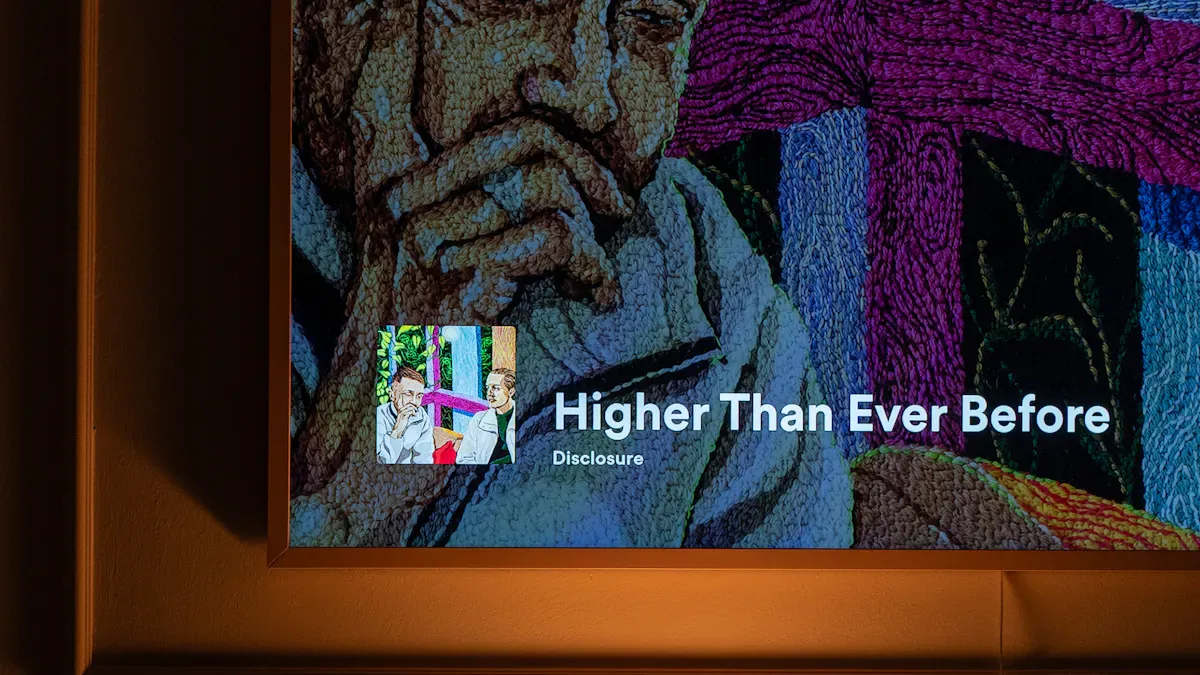
You should know that the lifespan of an OLED display screen is generally shorter than other common display types. When you compare OLED, LED, and LCD screens, you will notice clear differences in average operating hours and years of use. The table below highlights these differences:
|
Display Type |
Average Lifespan (Hours) |
Average Lifespan (Years) |
|---|---|---|
|
OLED |
30,000 - 50,000 |
8 - 14 |
|
LED |
Up to 100,000 |
13 - 27 |
|
LCD |
50,000+ |
7 - 11 |
You will see that OLED offers a shorter lifetime and lower longevity compared to LED and LCD. While OLED can deliver peak performance for about 4 to 5 years, LED displays often last much longer. This difference means you may need to replace your OLED devices sooner than you would with other technologies.
Several factors can influence how long your OLED screen lasts. You should pay attention to these key points:
High brightness settings speed up pixel decay.
Longer daily usage hours cause faster aging.
Static images left on the screen increase the risk of burn-in.
High temperatures, especially above 95°F (35°C), stress the organic materials.
Content with bright elements on dark backgrounds wears out specific pixels faster.
Tip: Lowering brightness and varying your content can help extend the life of your OLED screen.
If you use your device for many hours each day or keep static images on the screen, you will likely see a decrease in display quality sooner.
The shorter lifespan of OLED screens directly affects the durability of your devices. As the screen ages, you may notice issues like burn-in or uneven color. These problems can make your device less reliable over time. You might need to replace the screen or the entire device more often, which increases maintenance costs. This is one of the main disadvantages of choosing OLED for long-term use. If you want a display that lasts as long as possible, you should consider how OLED’s lower longevity could impact your investment.
You may notice that the price of an oled display screen often exceeds that of other display types. Several factors drive this higher cost. Manufacturers use organic materials that have limited lifespans, and these materials require careful handling during production. The process involves specialized equipment and clean room facilities, which add to the expense.
|
Technology |
Yield Rate |
|---|---|
|
OLED/AMOLED |
60-70% |
|
LCD |
90%+ |
A lower yield rate means more screens fail quality checks, so manufacturers must charge more for each working unit. The complexity of the thin-film transistor backplane and the need for multiple semiconductor layers also increase production costs. As panel size grows, keeping the brightness even across the screen becomes harder. This challenge requires extra circuitry and strict quality control, raising costs by up to 20% for larger panels.
As panel size increases, maintaining uniform current distribution becomes exponentially more challenging, resulting in brightness variations across the display. This requires additional compensation circuitry and quality control measures, increasing production costs for larger panels by approximately 15-20% per square meter.
You also face higher prices because only a few suppliers control most of the critical materials. Complex licensing agreements and limited supplier diversity further push up costs.
When you compare oled to LCD or LED screens, you see a clear price difference. OLED displays are more expensive to produce due to their complex manufacturing process and the cost of organic materials. Early AMOLED screens cost much more than LCDs, but the gap has narrowed as technology has improved.
The price gap between OLED and LCD has been shrinking, especially in mid-range products.
Consumers often pay more for the superior contrast and vibrant colors that oled offers.
Manufacturers can charge 15-25% more for devices with advanced display technologies.
|
Statistic |
Description |
|---|---|
|
65% |
High-income consumers consider display quality as a 'very important' factor in purchasing decisions. |
|
15-25% |
Manufacturers can charge higher prices for devices with advanced display technologies. |
You should consider these disadvantages when choosing a display. While the price gap is smaller than before, oled still costs more than LCD or LED. The shorter lifespan of oled may also lead to higher long-term costs, so you need to weigh image quality against overall value.
You may notice that brightness plays a crucial role in how well you can see your screen, especially outdoors. When you use an oled display screen in direct sunlight, you often struggle with visibility. The images can appear washed out, making it hard to read text or view graphics clearly.
LED screens outperform oleds in brightness, which makes them a better choice for outdoor environments.
Most WOLED panels reach a maximum brightness of 600 to 1,000 nits. This level falls short of the 2,000 nits or more needed for comfortable viewing in bright sunlight.
LED displays offer exceptional brightness, which is essential for outdoor visibility. Oled screens, on the other hand, have limitations in bright conditions and may not meet your needs if you work outside or in well-lit spaces.
If you require a display for professional tasks in bright environments, you should consider these limitations. Lower peak brightness can affect your productivity and satisfaction.
You should also understand that oled screens experience color degradation as they age. The organic materials inside the display break down over time, which impacts both performance and longevity.
Environmental exposure, such as oxygen and moisture, accelerates the aging process of the organic layers.
You may see black spots, altered colors, or reduced brightness as the screen ages.
The display may require more power to maintain the same brightness, which leads to increased operating voltage and decreased efficiency.
These changes can disrupt your work, especially if you rely on accurate color reproduction. In professional applications, color shifts and reduced brightness can make the display less reliable.
|
Limitation |
Impact on Usability in Professional Applications |
|---|---|
|
Lower peak brightness |
Reduced visibility in bright environments can affect usability for tasks requiring clear visibility. |
|
Color degradation |
Color shifts and reduced efficiency can impact tasks that demand accurate color over time. |
You should weigh these performance limitations carefully when choosing an oled display screen for your needs.
You face many choices when selecting a display for your device. Each technology offers unique strengths and weaknesses. The table below highlights key differences between OLED, LCD, and LED screens:
|
Feature |
OLED Displays |
LCD Displays |
LED Displays |
|---|---|---|---|
|
Picture Quality |
Excellent color accuracy and contrast |
Good, but less accurate color |
Improved brightness and contrast |
|
Black Levels |
True deep blacks |
Dark gray due to backlighting |
Dark gray due to backlighting |
|
Viewing Angles |
Superior, clear visuals from angles |
Limited, best from front |
Limited, best from front |
|
Durability |
Susceptible to impact damage |
More robust, resistant to impact |
Similar to LCD |
|
Lifespan |
Up to 100,000 hours (with care) |
30,000 to 60,000 hours |
Similar to LCD |
|
Burn-in Issues |
Yes |
No |
No |
|
Energy Efficiency |
Lower power consumption |
Higher power consumption |
Higher power consumption |
|
Response Time |
Faster response time |
Slower response time |
Similar to LCD |
You will notice that an oled display screen delivers superior color, contrast, and viewing angles. You can enjoy deep blacks and vibrant images. However, you must handle it with care, as it is more prone to impact damage and burn-in. LCD and LED screens offer greater durability and longer lifespans, making them a practical choice for environments where screens face frequent use or risk of damage.
You should consider your environment and usage before choosing a display. OLED works best when you want the highest image quality and plan to use your device in controlled lighting. If you value deep blacks, fast response times, and a slim design, oled is an excellent option.
Choose oled for:
Home theaters or personal devices where image quality matters most.
Creative work that demands accurate color reproduction.
Gaming setups that benefit from fast response times.
Choose LCD or LED for:
Spaces with bright ambient light, such as offices or gyms.
Devices that require maximum durability and resistance to impact.
Applications where cost and longevity are top priorities.
Tip: If your screen will sit near a window or in direct sunlight, LCD or LED may provide better visibility and longer service life.
You can make the best decision by matching your needs to the strengths of each technology.
You should recognize that the main disadvantage of OLED display screens lies in their risk of burn-in, shorter lifespan, and higher cost. These factors can impact your device’s durability and long-term value.
|
Disadvantage |
Description |
|---|---|
|
Burn-in risk |
Permanent image retention from static content |
|
Shorter lifetime |
Fewer operational hours than LCD or LED screens |
|
Higher cost |
More expensive due to complex manufacturing |
Despite these drawbacks, you may still benefit from OLED if you value vivid colors, deep blacks, and slim designs. Consider your usage needs and budget before making a final decision.
You cause screen burn-in when you leave static images on your OLED display for long periods. The pixels age unevenly, which creates permanent marks or ghost images that do not disappear.
You can lower the brightness, avoid static images, and turn off your screen when not in use. These steps help slow pixel aging and reduce the risk of burn-in.
You may find OLED screens less effective outdoors. Their lower peak brightness makes them harder to see in direct sunlight compared to LED or LCD displays.
You face risks like screen burn-in, shorter lifespan, and higher cost. These disadvantages of oled tvs can affect your device’s durability and long-term value.
You cannot fully remove burn-in once it appears. Some software tools may reduce its visibility, but you should prevent it by changing content often and lowering brightness.
Floor 3, Factory Building D, No.10 Xingye Second Road, Fenghuang Community, Fuyong Street, Bao 'an District, Shenzhen, Guangdong Province, China.
Please read on, stay posted, subscribe, and we welcome you to tell us what you think.


Friendly Links:
Copyright 2026 @ Shenzhen Golden Vision Optoelectronic CO., Limited. .All Rights Reserved.Sitemap | Blog | XML | Privacy Policy
 Network Supported