
When you use an IPS TFT LCD Module in your project, you will face many problems. You may notice high power use, especially with battery devices. You might also see backlight bleeding or uneven display, which can make images look worse. Adding things like touch layers or EMI protection can make things harder. Careful planning with fast circuit design, EMI control, and good tools will help you build a system that works well.
Key Takeaways
-
Make sure your embedded system works with small size IPS TFT LCD module. This helps you avoid problems and makes everything work right.
-
Pick the best interface for your display. Think about speed, distance, and how hard it is to use. This helps your display work better.
-
Design your PCB layout with care. This keeps signals strong and lowers electromagnetic interference. Your display will work better.
-
Choose an IPS TFT LCD module by looking at size, resolution, and brightness. Make sure it fits what your project needs.
-
Plan for firmware updates and pick trusted suppliers. This helps your display last longer and work well over time.
Check System Compatibility for Embedded Systems
When you begin a project with IPS TFT LCD modules, you need to see if your embedded systems can use them. This step helps you stop problems before they happen and makes sure your display works right.
Assess MCU Resources
First, check your microcontroller or controller. It should have enough power and memory for the display. Medical display IPS TFT LCD modules use more resources than simple screens. If you want to use a gui, your controller must show graphics well. Make sure your controller can handle the display’s resolution and color depth. If your embedded systems use hard gui applications, you might need more RAM or a faster processor.
Interface Support and Power Needs
Now, look at the interface options your embedded systems have. IPS TFT LCD modules work with different standards:
-
LVDS: Good for high-resolution displays in factories.
-
eDP: Handles very clear pictures with more bandwidth.
-
MIPI DSI: Works well in small things like wearables.
-
HDMI: Great for systems with lots of videos or pictures.
-
SPI: Used for displays that do not need much data, like meters.
See if your controller can use these interfaces. Also, check the power supply. Frameless IPS TFT LCD modules need steady input voltage. Most modules work between 6V and 48V. Use this table to help you pick:
|
Specification |
Value |
|---|---|
|
Input Voltage Range |
6V-48V |
High-Speed Design and EMI
Fast signals can make electromagnetic interference (EMI) in embedded systems. You need to design your circuit to lower EMI. Try these ideas:
-
Add low-pass filters and ferrite beads to block bad signals.
-
Use good grounding to stop ground loops.
-
Put parts on the PCB so signal paths are short.
-
Cover sensitive parts with metal or EMI coatings.
These steps help your embedded systems pass tests like FCC, CE, and CISPR. Good EMI control keeps your display working well and your gui fast.
Plan Hardware Connections for LCD Display Modules
Interface Options: SPI, Parallel RGB, and More
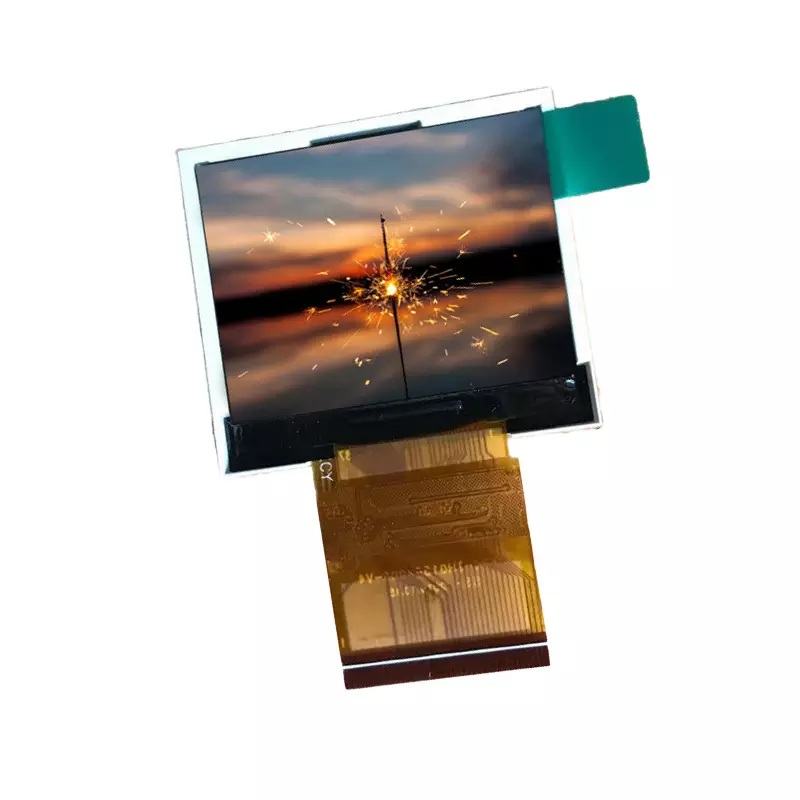
You have to pick the best interface for your lcd display modules. SPI and parallel RGB are two popular choices. SPI is easy to use and sends data quickly. Parallel RGB gives you better pictures and works with many devices. Each one has good and bad points. Look at this table to see how they compare:
|
Feature |
SPI Interface |
RGB Interface |
|---|---|---|
|
Advantages |
Simplicity: Easy to set up and use. |
Direct Control: High-quality image output. |
|
|
Speed: High data transfer rates. |
Wide Compatibility: Supported by many devices. |
|
Disadvantages |
Limited Distance: Not suitable for long distances. |
High Pin Count: Requires many pins. |
|
|
Signal degradation over longer cables. |
Increased Complexity: Complicates PCB design. |
Pick the interface that fits your project best. Think about how many pins you need, if the signals will stay strong, and if your lcd display modules will work with it.
PCB Layout and Signal Integrity
Your PCB layout should keep signals strong and clear. Signal integrity is important for lcd display modules. Try these tips:
-
Use tools like HyperLynx or SIWave before you build.
-
Pick the right materials and stack layers the right way.
-
Make sure traces are the same length to stop problems.
-
Check your work with oscilloscopes or protocol analyzers.
-
Use differential pairs with the same length and space for fast signals.
These ideas help stop noise and keep your lcd display modules working well. A good layout helps your lcd last longer.
ESD and EMI Protection
It is important to protect your lcd display modules from ESD and EMI. You can use different ways to keep your hardware safe. Here is a table with some good protection methods:
|
Method |
Description |
|---|---|
|
Filtering Capacitors |
Add filtering capacitors to critical signal lines to absorb ESD pulses. |
|
Series Resistors |
Place small resistors in series with signal lines to limit ESD current. |
|
Shielding Covers |
Install metal or ITO shielding covers on lcd monitors to reduce the direct impact of ESD. |
|
Grounding Path Optimization |
Ensure good grounding connections for shielding covers and enclosures. |
|
Interface Protection |
Add ESD protection devices, such as TVS diodes, at the input and output interfaces. |
You can also use antistatic materials and rubber pads that conduct electricity. These ways help your lcd display modules fight interference and work for a long time.
IPS TFT LCD Module Selection
Review Specs: Size, Resolution, Brightness
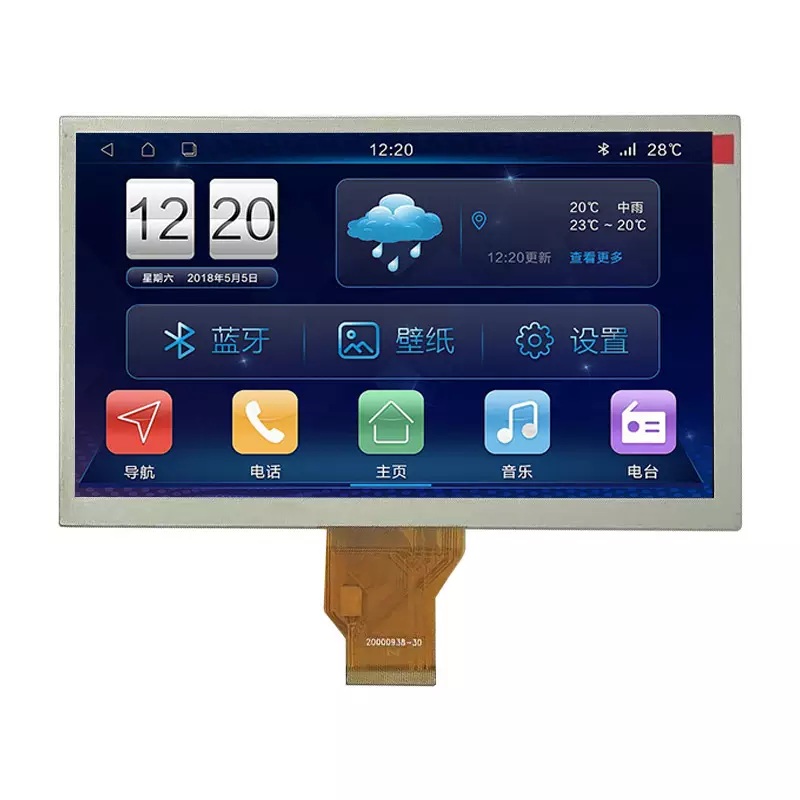
You should look at the specs before picking an ips tft lcd module. The size of the display changes how much you can show. Bigger screens are easier to read and use for hard tasks. Resolution is important because it shows more details and keeps things clear. Brightness helps you see the screen, even in bright places. If the display is very bright, like 1000 nits, you can see it in sunlight. High brightness also cuts down glare and makes contrast better. Here is a table with the main specs you should check:
|
Specification |
Recommended for Budget Modules |
Impact on Performance |
|---|---|---|
|
Brightness (Nits) |
300–500 nits |
Higher brightness helps you see in bright light. It is needed for outdoor screens. |
|
Viewing Angle |
≥160° (H/V) |
Wide angles let you read the screen from the side. This is good for dashboards and kiosks. |
|
Color Accuracy |
16.7M colors (24-bit) |
Good color makes the screen look nice and clear. |
|
Lifespan (Backlight) |
≥30,000 hours |
A long life means you do not need to fix or change it often. |
|
Response Time |
≤20ms |
Fast response stops blur when things move on the screen. |
|
Operating Temperature |
-20°C to +70°C |
The screen works well in hot or cold places. |
Touch-Enabled Displays for Embedded Systems
Touch-enabled ips tft lcd modules give you more ways to use your screen. You can use touch screens in places with lots of light. Bright screens and anti-glare glass help you see, even in sunlight. This is great for factories and cars. Touch screens also show sharp pictures and react fast. You can change them to fit your project. Here are some things you get with touch screens:
|
Feature |
Description |
|---|---|
|
High-resolution output |
Shows sharp pictures and text with lots of pixels. |
|
Fast image response |
Good for moving pictures and things you touch. |
|
Modular adaptability |
You can add touch and make the screen brighter. |
-
Pick a display size and resolution that fits your needs.
-
IPS technology helps you see the screen from many sides.
-
Brightness and contrast make the screen easy to read anywhere.
Documentation and Development Tools
You need good guides and tools to use an ips tft lcd module. Clear datasheets, pinouts, and timing charts help you connect and use the display. Software kits give you code and drivers for microcontrollers like STM32 or ESP32. Example code helps you test GUIs, touch, and moving pictures fast. Firmware updates keep your screen working and add new things. Community help lets you fix problems quickly. Here is a table with helpful tools and guides:
|
Tool/Documentation Type |
Description |
|---|---|
|
Software Development Kits (SDKs) |
Code, drivers, and APIs for microcontrollers like STM32 and ESP32. |
|
Example code |
Demos for GUIs, touch, and moving pictures to help you start. |
|
Documentation |
Datasheets, pinouts, timing charts, and guides for using the display. |
|
Firmware updates |
Updates to keep your screen working and add new features. |
|
Community support |
Forums and email help to solve problems fast. |
Tip: Always read the guides before you start. Good guides and tools make it faster and easier to use your display.
Software Integration and Register Control
Driver Setup and Initialization
Start by getting the right drivers for your IPS TFT LCD module. Install libraries like Adafruit_GFX and Adafruit_ILI9341 for your display. These libraries let you draw shapes and show pictures. Try out example code from the library to check your setup. If you want to show pictures, save them as BMP files on an SD card. Connect the touch panel pins to your microcontroller’s GPIOs. Use a library like TouchScreen to add touch features. Clean your display often and keep it away from heat and water. Change the brightness so it fits the room. Doing these things helps you use your display and makes it last longer.
Testing and Debugging Output
Always test your display after you set it up. Use your development tools to see if the screen shows the right images and responds to touch. If you find problems, use debugging tools to look for mistakes in your code. Try different commands and watch what the display does. Testing helps you fix problems early and keeps your project moving. This step is important for making your display work well and finishing your project on time. Careful testing and debugging make sure your display works as it should.
Optimizing Performance and Long-Term Support
Cost and Feature Balance
Picking a cheap TFT LCD module is not just about price. You need to make smart choices that fit your project’s needs and budget.
You should think about both cost and features when choosing a display. First, look at the interface types. Some displays use SPI, others use parallel RGB. Each type changes your design and affects the cost. Think about how big the display should be. Higher resolution can make things look better, but it costs more. Decide if you need touch support. Not every project needs touch, but it can make your device easier to use.
-
Check which interface works for your system.
-
Choose the right size and resolution for your project.
-
Think about brightness and touch based on what users want.
-
Use common models to save money and make design faster.
When buying cheap TFT modules, pick standard models like 3.5" 320x240 with SPI. These are easier to find and cost less than custom designs.
Firmware Updates and Maintenance
Plan for firmware updates early. Good firmware makes your display work better and last longer. Update your code to fix bugs or add new features. Firmware can help control power and manage the display. This saves energy in your device. Test updates on real hardware before you share them. Keep your design simple so updates are easy. Regular updates make your display work well and improve user experience.
Supplier Reliability and Module Longevity
Picking a good supplier is important for long-term support. You want your display to last and work in different places. Use this table to see what matters most:
|
Criteria |
Description |
|---|---|
|
Temperature Range |
Standard LCDs work from 0°C to 50°C. Industrial modules handle -30°C to +80°C. |
|
Humidity and Moisture Resistance |
Look for displays with coatings or sealed cases (IP65+) for wet places. |
|
Dust and Water Protection |
Pick modules with IP ratings to stop dust and water in tough settings. |
|
Sunlight Readability |
High-brightness panels (1000+ nits) or transflective tech are best for outdoor screens. |
|
Lifespan and Long-Term Availability |
LCDs last 30,000 to 100,000 hours. Ask suppliers about product life. |
|
Backlight Degradation |
LED backlights last longer than CCFL, so displays last longer. |
|
Long-Term Availability Guarantees |
Suppliers should promise long-term supply or backup options. |
A normal IPS display lasts 40,000–70,000 hours. Always ask your supplier about how long the product will be available and supported. This helps you avoid problems and keeps your project running for years.
Using best practices lets you build software while displays are made. This can save weeks or months in your project timeline.
You can use power management, hardware control, and smart firmware to make your display last longer and work better. These steps help you give users a good experience and keep your design strong for the future.
You can add an IPS TFT LCD module to your project by following five easy steps. If you plan carefully, your project will work better and last longer. Planning helps your project in many ways:
|
Evidence Description |
Impact on Reliability and Long-term Results |
|---|---|
|
Making space for hard parts helps you build the same way each time. |
This stops problems from pressure that you might not see at first. |
|
A simple design keeps signals strong and stops parts from wearing out. |
Your product will last longer, even if it moves or shakes a lot. |
|
How you put the TFT in place changes how easy it is to build and how long it lasts. |
Doing this step right saves time and makes your design stronger. |
When you set up your module the best way, people using it will have a better time. The screen will show colors more clearly, touch will work faster, and everything will look better:
|
Improvement Aspect |
Description |
|---|---|
|
Color Accuracy |
IPS technology keeps colors looking the same in different places. |
|
Touch Responsiveness |
Touch panels let you move through menus quickly and easily. |
|
Visual Performance |
Sharp pictures and bright colors make the screen easy to read and fun to use. |
Sometimes, you might see problems like ghosting or burn-in. You can fix these with special tricks:
-
Ghosting makes strange marks on the screen.
-
Burn-in leaves spots that do not go away.
-
Use pixel overdrive, screen savers, and change brightness to help stop these problems.
If you plan well and pay attention to small things, your project will work well for a long time. You can make products that work great and make people happy.
FAQ
What makes IPS TFT LCD modules better for high-resolution displays?
You get sharper images and better colors with IPS TFT LCD modules. These modules work well in systems that need high-resolution displays. You can use them in any application that needs clear pictures and wide viewing angles.
How do I connect a touch display module to my systems?
You connect a touch display module by matching the interface to your systems. Check if your display controller supports the module. Use the right cables and follow the guide for your application. This helps you avoid mistakes and keeps your systems running well.
Can I use touchscreen LCDs in outdoor systems?
Yes, you can use touchscreen lcds in outdoor systems. Pick modules with high brightness and strong glass. These features help your application work in sunlight. You also need to protect your systems from water and dust.
Why should I choose interactive LCD screens for my application?
You should choose interactive lcd screens if you want users to touch and control your application. These screens make your systems easy to use. You can add them to kiosks, machines, or any application that needs user input.
What is the role of a display controller in embedded systems?
A display controller helps your systems show images and videos. It manages signals between your application and the screen. You need a good display controller for smooth pictures and fast response in your systems.
 Network Supported