

You interact with different display technologies every day, whether you watch your favorite show, work on a project, or play games. The most significant differences between LCD and OLED displays affect the quality of your experience. OLED displays deliver richer contrast and deeper blacks, while LCD screens offer reliable performance and excel in bright environments. You will notice that picture quality, color quality, and motion quality stand out with OLED, especially in movies or gaming. However, LCD screens dominate the market with a 60% share, making them a common choice for general use. Your display choice impacts the quality of your activities, from color accuracy to viewing comfort.
Key Takeaways
-
OLED displays provide true blacks and vibrant colors, making them ideal for movies and gaming.
-
LCD displays excel in bright environments, offering higher peak brightness and better visibility outdoors.
-
Consider your usage: choose OLED for immersive visuals and color accuracy, and LCD for budget-friendly and reliable performance.
-
Both display types have unique strengths; OLED is better for contrast and viewing angles, while LCD is more affordable and energy-efficient in bright settings.
-
Regular maintenance and smart usage habits can extend the lifespan of both OLED and LCD displays.
oled vs lcd: display basics
lcd display technology
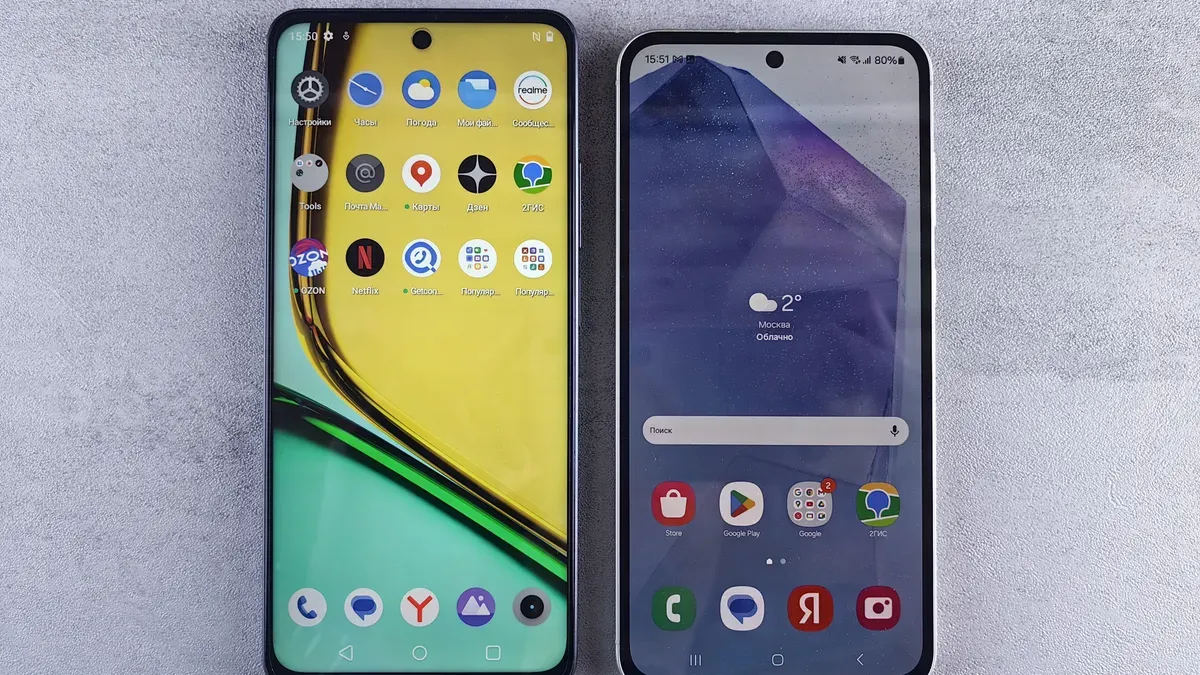
You encounter lcd display technology in many everyday devices. This display technology uses a backlight that shines through a layer of liquid crystals. The crystals twist and block light to create images. Since the backlight always stays on, lcd displays cannot achieve true black. Instead, you see dark gray in areas that should appear black. The backlight also affects energy efficiency, as it consumes power even when displaying dark scenes. Lcd display technology offers high brightness, making it suitable for well-lit rooms or outdoor use. However, the viewing angle can be limited, and colors may shift when you look from the side.
oled display technology
Oled display technology works differently. Each pixel in an oled display emits its own light. You do not need a backlight. This self-emissive approach allows oled displays to turn off individual pixels completely, producing true black and exceptional contrast. Oled displays deliver vibrant colors and maintain image quality even at wide viewing angles. Because pixels only light up when needed, oled displays can save energy, especially when showing darker images. However, increasing brightness in oled displays can reduce lifespan and efficiency. Oled display technology often costs more to manufacture, but it provides a premium viewing experience.
main differences explained
You can see the main differences between oled vs lcd in the way each display produces light and color. Here is a quick comparison:
|
Feature |
LCD Display |
OLED Display |
|---|---|---|
|
Light Emission |
Uses a constant backlight |
Each pixel emits its own light |
|
Energy Efficiency |
Less efficient, backlight always on |
More efficient, pixels can turn off |
|
Black Levels |
Cannot achieve true black |
Displays true black |
|
Brightness Levels |
Higher peak brightness |
Lower peak brightness |
|
Viewing Angles |
Limited |
Superior |
|
Manufacturing Cost |
Lower |
Higher |
-
Oled vs lcd comes down to how each display technology handles light and color. Oled displays excel in contrast and viewing angles, while lcd displays offer higher brightness and lower cost. The backlight in lcd display technology limits black levels and energy savings. Oled display technology, with its self-emissive pixels, gives you deeper blacks and better overall quality for movies, games, and creative work.
oled displays vs lcd: picture quality
contrast and true blacks
You notice the most dramatic difference between oled and lcd when you compare contrast and true blacks. Oled displays control individual pixels, which means each pixel can turn off completely. This ability creates true blacks and deep black levels that enhance picture quality in every scene. You see superior contrast because the darkest parts of the image remain pitch black while the brightest areas stand out. Oled displays achieve an infinite contrast ratio, making dark scenes in movies or games look lifelike and immersive.
Lcd displays, on the other hand, use a backlight that always emits some light. Even with advanced technologies, lcd panels cannot block all the light in dark areas. You often see dark gray instead of true blacks, which reduces overall contrast. The contrast ratio in lcd displays remains lower because of this backlight leakage. When you watch movies with lots of shadows or play games with dark environments, oled displays deliver a more vibrant and realistic experience.
|
Feature |
OLED Displays |
LCD Displays |
|---|---|---|
|
Contrast Ratio |
Infinite contrast ratios due to pixel-level lighting control |
Lower contrast ratios due to backlight illumination |
|
True Black Levels |
Achievable by turning off individual pixels |
Not achievable due to light leakage from backlight |
|
Image Quality |
More vibrant and lifelike, especially in dark scenes |
Generally less vibrant, especially in low-light conditions |
|
Viewing Angles |
Nearly perfect viewing angles |
Can suffer from color and contrast shifts when viewed from an angle |
Tip: If you want the best picture quality for watching movies at night, oled displays with true blacks and high contrast will impress you every time.
brightness and whites
Brightness plays a key role in how you perceive picture quality, especially in bright rooms or daylight. Lcd displays excel in peak brightness. You can expect lcd screens to reach over 1,500 nits, which helps maintain clear and vivid images even in direct sunlight or well-lit spaces. Whites appear crisp and bright, making lcd a strong choice for outdoor use or rooms with many windows.
Oled displays offer peak brightness between 700 and 800 nits. While this level satisfies most indoor needs, you may notice that whites do not appear as intense as on lcd screens in very bright environments. However, oled displays still provide excellent picture quality in typical home lighting. The self-emissive nature of oled means you get consistent brightness across the screen, but pushing oled panels to their maximum brightness can reduce their lifespan.
|
Display Type |
Peak Brightness (nits) |
User Preference (%) |
HDR Realism (%) |
|---|---|---|---|
|
OLED |
700-800 |
72 |
60 |
|
LCD |
1,500+ |
40 |
N/A |
You should choose lcd if you need a display that performs well in bright conditions. For most indoor settings, oled provides a balanced combination of brightness and picture quality.
color range and accuracy
Color defines your viewing experience. Oled displays stand out with their ability to produce vibrant colors and a wider color gamut. Each pixel emits its own light, allowing for precise control over color and brightness. You see accurate shades and smooth gradients, which is essential for creative work, photo editing, or enjoying animated content. Oled displays deliver higher color accuracy, making images look true to life.
Lcd displays have improved over the years, especially with technologies like Quantum Dot. High-end lcd screens now offer excellent color accuracy and a wider color gamut, but they still rely on a backlight. This reliance can limit deep black levels and affect color performance in darker scenes. You may notice that colors on lcd displays sometimes appear less saturated or accurate, especially when viewing from an angle.
-
Oled displays allow for individual pixel control, resulting in precise color output and a wider color range.
-
High-end lcd displays can also achieve excellent color accuracy, particularly with advanced technologies.
|
Feature |
OLED Displays |
LCD Displays |
|---|---|---|
|
Black Levels |
Produce pure black levels due to individual pixel illumination |
Rely on backlight, leading to less accurate black levels |
|
Color Accuracy |
Higher color accuracy due to precise control over color and brightness |
Can be less accurate, especially in darker tones, but high-end models can compete |
|
Color Gamut Coverage |
Wider color range due to individual pixel control |
Limited by backlight, but advanced technologies like Quantum Dot improve performance |
You benefit from oled’s superior contrast, true blacks, and vibrant colors when you want the highest picture quality. Lcd displays offer reliable performance and high brightness, making them suitable for a variety of everyday uses. If color accuracy and deep black levels matter most to you, oled displays provide a premium experience. For users who prioritize brightness and cost, lcd displays remain a practical choice.
oled vs lcd: performance in daily use
eye comfort and viewing angles
You spend hours each day in front of a display, so eye comfort matters. Both oled and lcd screens can cause eye strain if you set brightness too high or use the device for long periods without breaks. Factors such as ambient lighting, screen brightness, and your personal sensitivity play a bigger role in eye comfort than the display technology itself. Some oled displays use Pulse Width Modulation (PWM) to control brightness. This method rapidly turns pixels on and off at lower brightness levels. Most people do not notice this flicker, but if you have sensitive eyes, you might experience discomfort, headaches, or fatigue during extended viewing. Not all oled screens use PWM the same way. Some manufacturers use higher frequencies or alternative dimming methods to reduce visible flicker.
Many lcd displays also use PWM, but modern lcd panels often rely less on this method. If you are sensitive to flicker, you may find lcd displays more comfortable for long sessions. Always adjust your display’s brightness and take regular breaks to protect your eyes.
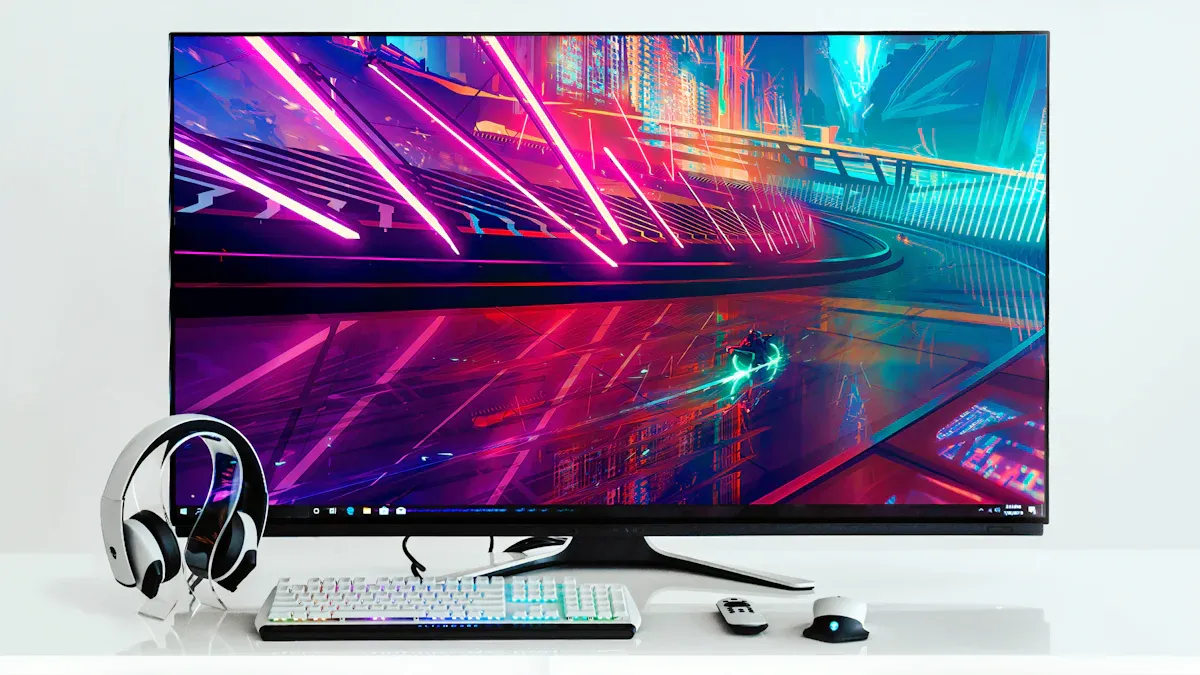
When you watch content with friends or family, viewing angles become important. Oled displays offer almost perfect wide viewing angles because each pixel emits its own light. You see consistent color and contrast from nearly any position. Standard lcd screens often show color loss and distortion when viewed from the side. Advanced lcd panels with In-Plane Switching (IPS) technology improve viewing angles, but they still cannot match the quality of oled. If you want the best group viewing experience, oled displays provide superior image quality from every seat in the room.
Tip: For group movie nights or presentations, choose a display with excellent viewing angles to ensure everyone enjoys the same high-quality image.
response time and gaming
Fast response time is crucial for gaming and fast-moving video. Oled displays excel in this area. Each pixel responds almost instantly, which reduces motion blur and ghosting. You notice smoother action and sharper images during intense gameplay. The table below compares key gaming metrics for oled and lcd displays:
|
Gaming Metric |
OLED |
LCD |
|---|---|---|
|
Response Time |
0.1–1 ms |
1–5 ms |
|
Input Lag |
Very Low |
Very Low |
|
Motion Blur |
Lower |
Higher |
You gain a competitive edge with oled because of its rapid pixel response. Motion appears crisp, and you avoid the smearing that sometimes affects lcd screens. Both oled and lcd displays offer low input lag, so your actions register quickly. However, oled’s lower motion blur makes it the preferred choice for gamers who demand the highest quality visuals.
power efficiency
Energy consumption impacts your daily use, especially if you spend long hours on your device. Oled displays use less power when showing darker images or interfaces. Each pixel only lights up when needed, so dark mode or scenes with lots of black save energy. Lcd displays use a backlight that stays on, so power usage remains consistent no matter what you view. This means lcd screens can be less efficient, especially when displaying dark content.
The table below shows how oled and lcd displays compare in energy consumption for common tasks:
|
Task |
OLED Power Consumption |
LCD Power Consumption |
|---|---|---|
|
Web Browsing |
More efficient with darker interfaces |
Consistent power usage regardless of content |
|
Video Playback |
Benefits from Dark Mode, reducing power usage |
Backlight remains active, less efficient |
|
Gaming |
More efficient with darker scenes |
Power usage remains consistent |
You benefit from lower energy consumption with oled when you use dark themes or watch movies with many dark scenes. Lcd displays perform well in bright environments, but their backlight leads to higher energy use over time. If you want to reduce your electricity bill or extend battery life on portable devices, consider how your typical usage patterns align with each display’s strengths.
Note: Adjusting your display settings and using dark mode can improve both eye comfort and energy efficiency, regardless of the technology you choose.
oled vs lcd: durability and lifespan
display longevity
You want your display to last as long as possible while maintaining high quality. OLED displays generally offer a longer lifespan than LCD displays. Manufacturers rate OLED displays for 30,000 to 100,000 hours before reaching half-life, which means the brightness drops to 50%. LCD displays typically last between 30,000 and 60,000 hours. The table below shows average lifespans:
|
Display Type |
Average Lifespan (hours) |
|---|---|
|
OLED |
20,000 to 100,000 |
|
LCD |
30,000 to 60,000 |
If you use your display for 5–6 hours daily, an OLED screen can last 10–15 years. OLED TVs maintain peak quality for 8–14 years with regular use. LCD displays also provide reliable performance, but their backlight may degrade faster, affecting brightness and color quality over time.
risk of burn-in
Burn-in remains a concern for OLED displays. This issue occurs when static content, such as channel logos or taskbars, stays on the screen for extended periods. Uneven pixel aging causes permanent ghostly afterimages or faded logos. LCD displays do not suffer from permanent burn-in, but you may notice temporary image retention that fades with normal use. Modern OLED displays include protection features like pixel shifting and automatic brightness adjustments to reduce burn-in risk. You rarely encounter burn-in during everyday streaming or casual gaming, but static dashboards and signage increase the risk.
Burn-in appears as ghostly afterimages or faded logos that persist even after changing the content on the screen. It can also manifest as areas of the screen that are slightly brighter or darker due to uneven pixel wear over time.
|
Feature |
Burn-In (OLED) |
Image Retention (LCD) |
|---|---|---|
|
Permanent |
Yes |
No |
|
Temporary |
No |
Yes |
|
Caused by Pixel Wear |
Yes |
No |
|
Can Fade Over Time |
No |
Yes |
maintenance tips
You can maximize display quality and lifespan with proper care. Follow these tips:
-
Operate your display within recommended temperature and humidity ranges.
-
Lower brightness and contrast settings to reduce strain on the backlight and pixels.
-
Enable sleep mode, screen savers, and built-in protection features.
-
Clean the screen gently with a microfiber cloth and avoid applying pressure.
-
Use dark mode to reduce pixel load and improve power efficiency.
-
Keep firmware updated to benefit from improved burn-in mitigation algorithms.
-
Ensure proper ventilation to prevent overheating.
If your display suffers damage, replacement parts are available and affordable. However, repair is rarely possible for either OLED or LCD displays. Manufacturer warranties for OLED displays often exclude burn-in coverage, so consider extended protection plans for high-value devices.
Tip: Regular maintenance and smart usage habits help you preserve display quality and avoid common issues like burn-in or image retention.
oled vs lcd: best for everyday activities
watching tv and movies
OLED technology allows individual pixels to be turned off completely, resulting in true blacks and a higher contrast ratio. This capability enhances the viewing experience, especially in dark scenes, making OLED the preferred choice for movie enthusiasts.
You will notice the difference in picture quality when you watch movies or TV shows. OLED delivers deeper blacks and richer contrast, which brings out details in every frame. If you want the best cinematic experience, choose an OLED display. LCD still offers reliable performance and high brightness, but it cannot match the immersive quality of OLED for home theater use.
working and office tasks
You spend hours editing documents, browsing the web, or coding. The right display can reduce eye strain and improve productivity. The table below compares IPS LCD and OLED for office work:
|
Aspect |
IPS LCD Displays |
OLED Displays |
|---|---|---|
|
Eye Comfort |
Better for long sessions |
Comfortable in dark settings, but may cause strain in bright environments |
|
Text Clarity |
Superior clarity for static content |
May show color fringing on text |
|
Burn-in Risk |
Lower risk |
Higher risk, needs content management |
|
Brightness Stability |
Consistent, reduces eye strain |
Automatic brightness limiting can affect usability |
|
Best Use Case |
Document editing, web browsing, coding |
Image editing, dark themes |
For most office tasks, an IPS LCD display provides stable brightness and clear text, making it the practical choice.
gaming and entertainment
-
OLED displays offer superior color accuracy and contrast ratios.
-
You get near-zero response time, which prevents ghosting and delivers smooth motion.
-
LCD displays last longer and resist burn-in, making them suitable for long gaming sessions.
-
If you want immersive visuals and reduced eye fatigue, OLED is ideal.
-
For budget-friendly setups and bright rooms, LCD remains a strong option.
outdoor and bright room use
You need a display that stays visible in sunlight or bright spaces. The table below highlights how each performs:
|
Feature |
OLED Displays |
LCD Displays |
|---|---|---|
|
Color Accuracy |
Can appear washed out in sunlight |
More consistent in bright sunlight |
|
Brightness and Contrast |
High contrast, but sunlight can reduce quality |
Easier to see in bright sunlight |
|
Glare and Reflections |
May reflect light, some anti-glare coatings |
More reflective, can cause glare |
Choose an LCD display for outdoor use or rooms with lots of windows. OLED excels in controlled lighting, but LCD maintains quality in challenging environments.
oled vs lcd: comparison table
quick feature reference
You want a quick way to compare OLED and LCD displays. A feature table gives you a clear overview of how each technology performs in everyday use. You can see which display excels in areas like contrast, brightness, and price. This table helps you make an informed decision based on your priorities.
|
Feature |
OLED Display |
LCD Display |
|---|---|---|
|
Contrast |
Best |
Good |
|
Brightness |
Good |
Best |
|
Viewing Angle |
Best |
Good |
|
Black Level |
Best |
Good |
|
Resolution |
Best |
Best |
|
Refresh Rate |
Best |
Best |
|
Energy Consumption |
Best |
Best |
|
Lifespan |
Best |
Best |
|
Burn-in Risk |
Good |
Best |
|
Price |
Good |
Best |
You notice that OLED displays deliver superior contrast and black levels. You get the best viewing angles and vibrant colors. LCD displays shine in brightness and price. Both technologies offer high resolution and fast refresh rates. You benefit from energy efficiency and long lifespan with either option. LCD displays provide better protection against burn-in, which matters if you use static content often.
Tip: If you value picture quality and immersive visuals, OLED stands out. If you need a display for bright rooms or want to save money, LCD offers strong performance.
You can use this table as a quick reference when choosing your next display. It helps you match your needs to the strengths of each technology.
oled vs lcd: value and future-proofing
price differences
When you compare OLED and LCD displays, you notice a clear difference in cost. OLED displays usually carry a higher price tag for similar screen sizes and features. This higher cost comes from complex manufacturing processes and the use of rare organic materials. LCD displays remain more affordable because manufacturers have refined their production methods over many years. You benefit from lower cost if you choose LCD, especially for larger screens or budget-friendly setups.
|
Display Type |
Price Comparison |
Reason for Price Difference |
|---|---|---|
|
OLED |
Generally more expensive |
Complex manufacturing and premium materials |
|
LCD |
Less expensive |
Established technology and lower production costs |
You should consider your budget and how much you value premium features. If you want the best image quality and future-ready technology, you may decide the higher cost of OLED is justified. If you need a reliable display at a lower cost, LCD offers strong value.
long-term considerations
Long-term value goes beyond the initial cost. You need to think about maintenance, repairs, energy use, and how well your display holds up over time. OLED displays can lower your energy bills because they use less power, especially with dark content. However, the cost of repairing an OLED display is higher due to the need for specialized parts and skills. LCD displays are easier and cheaper to fix, which reduces your total cost of ownership.
|
Aspect |
OLED Displays |
LCD Displays |
|---|---|---|
|
Initial Cost |
Higher |
Lower |
|
Maintenance Cost |
More expensive to repair |
Easier and cheaper to repair |
|
Longevity |
Improving with new advancements |
Generally stable over time |
|
Long-term Value |
Superior image quality, energy savings |
Lower cost, but less future-proof |
You also need to consider resale value and obsolescence. OLED displays hold their value better because of superior image quality, even though burn-in risk exists. LCD displays, now common in budget models, may lose value faster as technology advances. Environmental impact matters as well. OLED manufacturing uses less water but has a higher carbon footprint, while LCDs use more chemicals and rare earth elements.
OLED technology continues to evolve, reducing material waste and expanding into new applications. If you want a display that stays relevant and offers the best performance, investing in OLED may provide better long-term value despite the higher cost. For basic needs and lower cost, LCD remains a practical choice.
Tip: Weigh the initial cost against long-term savings, repair expenses, and future-proofing to make the best decision for your needs.
You should choose OLED if you want the best picture quality for movies, gaming, or creative work. LCD fits office tasks, bright rooms, and budget-friendly setups. The table below helps you match your needs:
|
User Type |
Recommended Display |
|---|---|
|
Home Theater Enthusiast |
OLED |
|
Gamer |
OLED |
|
Content Creator |
OLED |
|
Office Worker |
LCD |
|
Budget Shopper |
LCD |
|
Bright Room User |
LCD |
OLED delivers true blacks, vibrant colors, and wide viewing angles. LCD offers high brightness, reliability, and affordability. Remember, dark mode only saves battery on OLED when most of the screen uses true black.
FAQ
What is the main advantage of OLED over LCD for daily use?
You get true blacks and higher contrast with OLED. Each pixel turns off individually, which creates deeper blacks and more vibrant images. This feature enhances your viewing experience, especially when you watch movies or play games.
Can LCD displays suffer from burn-in like OLED?
No, you do not need to worry about permanent burn-in with LCD displays. LCDs may show temporary image retention, but it fades quickly. OLED displays can develop permanent burn-in if you leave static images on the screen for long periods.
Which display type is better for bright rooms or outdoor use?
LCD displays perform better in bright environments. You see higher peak brightness and clearer images in sunlight or well-lit rooms. OLED displays may appear dimmer outdoors, so you should choose LCD if you often use your device in bright spaces.
Do OLED displays use less power than LCDs?
OLED displays use less power when you view dark content or use dark mode. Each pixel only lights up as needed. LCDs use a constant backlight, so power consumption stays the same regardless of what you display.
Are OLED displays safe for long work sessions?
You can use OLED displays for long periods, but some people notice flicker at low brightness. If you have sensitive eyes, you may prefer LCD displays, which often cause less eye strain during extended use.
 Network Supported