
Choosing the right TFT Display Module means you need to know what you need. You should try not to make common mistakes. Some people forget about things like viewing angle or temperature range. This can cause problems when you use the display. Here are some mistakes people often make:
|
Common Mistake |
Impact |
|---|---|
|
Ignoring Viewing Angle |
You cannot see well from different spots |
|
Not Considering Temperature Range |
The display may break in very hot or cold places |
|
Overlooking Power Consumption |
The battery runs out fast in devices you carry |
You can pick the best display by thinking about your project’s needs. Follow a simple plan to help you choose.
Key Takeaways
-
Think about what your project needs before picking a TFT display. Look at things like how people will use it and where it will be used.
-
Look at important features like size, resolution, brightness, and viewing angle. These things change how well the display works for you.
-
Try out display modules in real-life situations. This makes sure they work well where you need them.
-
Check the guides and help from suppliers. Good information helps you learn about the display and makes sure it is good quality.
-
Compare price and how well it works. Pick a display that does what you need and does not cost too much.
Define Your Application Needs
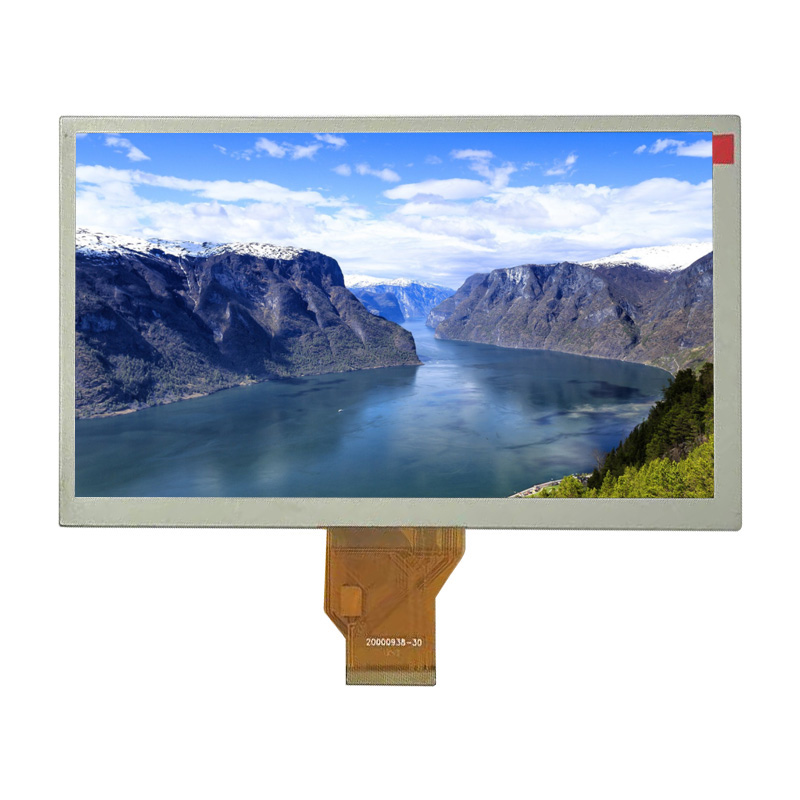
Before you pick a tft display, you should know what your project needs. This helps you not make mistakes. It also makes sure the module works for your project. You need to think about how people will use the display. You should also think about where it will be used. You must know what limits your project has.
Intended Use and User Interaction
Think about how people will use your tft display. Will they touch the screen or just look at it? If many people need to see the display, you want a wide viewing angle. IPS technology is good for this. It keeps colors bright from different sides. If you need touch, you must pick resistive or capacitive. Resistive screens work with gloves. They are good for rough places. Capacitive screens feel smooth and react fast to fingers.
Here is a table to help you match user needs with the right display features:
|
User Scenario |
Best Display Type |
Reason |
|---|---|---|
|
Multiple users viewing |
IPS panel |
Wide viewing angles |
|
Bright environments |
High brightness display |
Easy to read in sunlight |
|
Dim environments |
High contrast display |
Better visibility in low light |
|
Rugged use |
Durable, touch-enabled |
Withstands tough conditions |
Environmental Factors
You need to check where the tft display will go. Some things to think about are temperature, humidity, and sunlight. Hot weather can make the screen slow or change colors. Cold weather can make the display less bright. Humidity can cause water inside. This can hurt the module. If your project is outside, pick a display that can handle sun and dust.
-
Hot weather can make the screen slow or change colors.
-
Cold weather can make the display less bright.
-
Humidity can cause water inside and short circuits.
-
UV light can hurt the screen over time.
Project Constraints
Every project has limits. You need to think about size, cost, power, and how easy it is to use the tft display. If your device uses batteries, pick a module that does not use much power. If you have little space, pick a display that fits. Cost is important too. Some connection types and frame sizes cost more money. Make a list of your project’s needs before you shop.
Tip: Write down your needs and limits. This helps you compare tft displays and find the best one for your project.
Key Features of TFT Display Modules
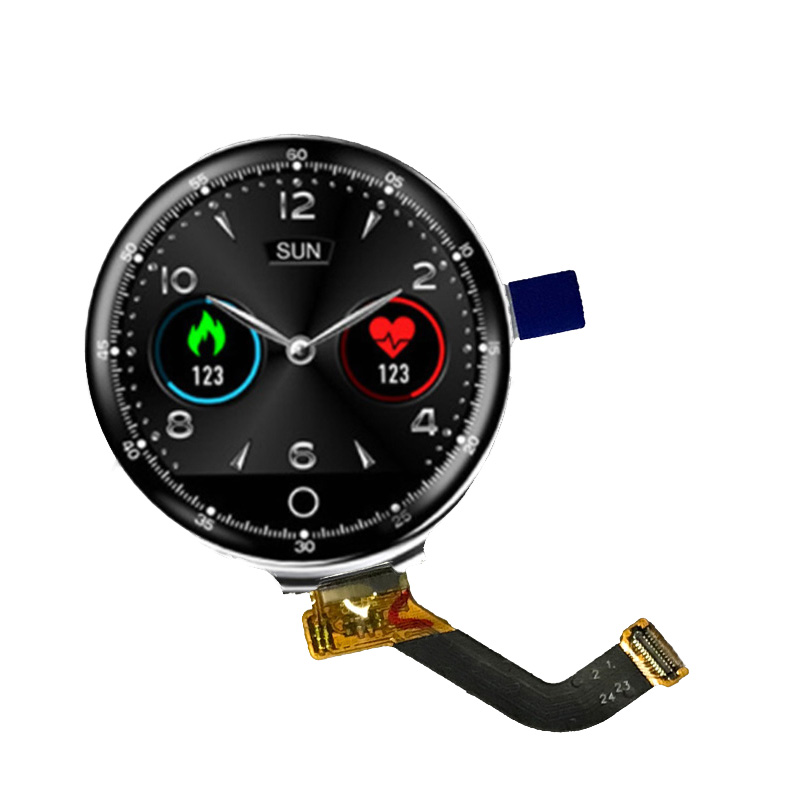
When you choose a tft display module, you need to know the main features. Each feature affects how well the tft lcd panel works in your project. You should look at the specifications for each tft lcd display module to make sure it fits your needs. Here are the most important features to check:
Size and Aspect Ratio
The size of a tft lcd display module decides how much information you can show. Small sizes work well for wearables or handheld devices. Large sizes fit kiosks, dashboards, or TVs. You can find tft lcd panels in many sizes, from tiny 1-inch screens to big 65-inch displays for outdoor ads.
|
Size |
Resolution |
Aspect Ratio |
|---|---|---|
|
6.4” |
1024 x 768 (XGA) |
4:3 |
|
10.4” |
1024 x 768 (XGA) |
4:3 |
|
12.1” |
1024 x 768 (XGA) |
4:3 |
|
7.0” |
1280 x 800 (WXGA) |
16:10 |
|
8.0” |
1280 x 800 (WXGA) |
16:10 |
|
10.6” |
1280 x 800 (WXGA) |
16:10 |
|
12.1” |
1280 x 800 (WXGA) |
16:10 |
|
10.3” |
1920 x 720 (HD) |
N/A |
|
12.3” |
1920 x 720 (HD) |
N/A |
|
15.0” |
1920 x 720 (HD) |
N/A |
You also need to pick the right aspect ratio. The aspect ratio is the shape of the tft lcd display. It affects how pictures and videos look. Here is a quick guide:
|
Aspect Ratio |
Application Description |
|---|---|
|
16:9 |
Good for videos and modern apps |
|
4:3 |
Used in old medical and control devices |
|
1:1 / Square |
Best for dashboards and wearables |
|
Custom Ultrawide |
Used in cars and signs |
Tip: Choose the size and aspect ratio that match your application. A square tft lcd panel works well for a smartwatch. A wide tft lcd display module fits a car dashboard.
Resolution and Clarity
Resolution means how many pixels the tft lcd display module has. More pixels give you sharper images and clearer text. You should match the resolution to your application. For example, a medical device needs high resolution to show details. A simple control panel can use lower resolution.
|
Display Size |
Resolution |
|---|---|
|
2.4 inch |
240x320 |
|
2.8 inch |
480x480 |
|
3.0 inch |
432x432 |
|
3.4 inch |
800x800 |
|
4.3 inch |
720x672 |
|
6.2 inch |
1024x600 |
|
12.3 inch |
1920x720 |
Tft lcd display modules with high resolution give you better clarity. This is important for both industrial and consumer uses. In factories, you need to see small details. At home, you want bright colors and sharp images. Tft technology lets each pixel work alone, so you get better contrast and sharpness.
Brightness and Contrast
Brightness shows how much light the tft lcd display module gives off. You measure brightness in nits. If you use the display outside, you need high brightness. For indoor use, you can pick lower brightness.
|
Module Size |
Brightness Range (nits) |
Application Areas |
|---|---|---|
|
12.1 inch |
800 to 1500 |
Outdoor signs, EV chargers, kiosks, fuel pumps |
|
Brightness Range (nits) |
Application Areas |
|---|---|
|
1000 to 2500 |
Sunlight readable displays for outdoor use |
Contrast ratio is the difference between the darkest black and the brightest white. A higher brightness and contrast ratio makes the tft lcd panel easier to read in sunlight. For outdoor use, look for a tft lcd display with a contrast ratio of 1000:1 or more. Remember, glare can lower the real contrast you see, so check the display in real conditions.
-
Higher contrast ratios help you see the screen in bright places.
-
Effective contrast is more important than just the number in the specifications.
Viewing Angle
Viewing angle tells you how far you can move to the side and still see the tft lcd display clearly. If you use a tft lcd panel in a place where many people look at it, you need a wide viewing angle. IPS tft lcd display modules give you the best viewing angles.
|
Technology |
Standard Viewing Angle |
Performance Characteristics |
|---|---|---|
|
TN |
~90° |
Low contrast, color shift |
|
TN+Film |
Up to 140° |
Better angle, still low contrast |
|
IPS |
>170° |
Wide angle, true colors |
Wide viewing angles keep colors and contrast the same from all sides. This is important for medical devices, cars, and consumer electronics. You do not want the image to fade or change color when you move.
Temperature Tolerance
Temperature tolerance shows how hot or cold the tft lcd display module can get and still work. Industrial tft lcd panels can handle tough conditions. If you use the display outside, you need a wide temperature range.
|
|
Min |
Max |
|---|---|---|
|
Industrial standard |
-20°C |
70°C |
|
Hi-Tni |
-40°C |
110°C (surface) |
Some tft lcd display modules work from -30°C to +85°C. This helps in outdoor kiosks or machines in cold or hot places. Wide-temperature tft lcd panels keep working even in extreme weather. Long exposure to heat can still lower performance and life, so pick the right module for your climate.
Interface Options
The interface is how your tft lcd display module connects to your system. You need to pick an interface that matches your hardware and software. Here are the most common options:
-
MCU (MPU)
-
SPI
-
TTL (RGB)
-
LVDS
-
DSI (MIPI)
-
EDP
Each interface has its own benefits:
|
Interface Type |
Performance Impact |
Integration Complexity |
Power Consumption |
|---|---|---|---|
|
High-bandwidth (MIPI DSI, LVDS, HDMI) |
Smooth video, high resolution |
Needs careful design |
May use more power |
|
Easier interfaces (SPI, MCU) |
Lower frame rates, less detail |
Easy to use |
Good for simple displays |
|
RGB |
Good for graphics |
Medium difficulty |
Balanced power use |
You should check the specifications for your tft lcd display module to make sure the interface fits your project. High-bandwidth interfaces give you better display performance but may need more power and careful design.
Note: Always match the interface of your tft lcd display to your system for the best performance and easy setup.
By understanding these key features, you can pick the right tft lcd display module for your project. Look at the specifications for size, resolution, brightness and contrast ratio, viewing angle, temperature, and interface. This helps you get the best display performance for your needs.
How to Compare TFT LCD Display Modules
Research and Shortlist
Begin by writing down what your project needs. Look at things like size, resolution, aspect ratio, brightness, viewing angle, contrast ratio, temperature range, power use, interface options, and touch screen type. Make a list of tft display modules that match these needs. Use charts from suppliers to see differences fast. This helps you find modules that work best with your system.
-
Size
-
Resolution
-
Brightness
-
Viewing angle
-
Touch screen type
-
Power use
-
Interface options
Tip: Always make sure the display fits your device and works with your system.
Match Specs to Needs
Next, check each tft display module’s features against your project needs. Use a table to compare what matters most. Resolution makes images and text clear. Environmental factors show if the display works in tough places. Some projects need touch screens that work with gloves or waterproof displays for outside. Make sure the module matches your hardware and software.
|
Specification |
Relevance to Project Requirements |
|---|---|
|
Resolution |
Shows how clear and detailed the display is. |
|
Environmental Factors |
Makes sure the panel works in special conditions. |
|
Customization Options |
Lets you change the panel for your project’s needs. |
Test and Validate
Test the tft display modules before you decide. Ask suppliers for samples if you can. Try the display in your own space. Test how it starts in cold, works in heat, and responds to touch. Check if it lasts and stays strong when used a lot. Testing early helps you avoid problems and makes sure the module fits your system.
|
Best Practice |
Description |
|---|---|
|
Early Validation and Thermal Testing |
Try display modules early in real conditions, like cold starts and hot weather. |
|
Mechanical and Optical Integration |
Think about heat, sealing, and airflow; work with makers to lower risks. |
|
Avoiding Over-Specification |
Know where you will use the display so you do not spend too much or make things too hard. |
Review Documentation and Support
Look at the maker’s instructions and help before you buy. Good instructions help you learn about the display’s features and how it works with your system. Helpful support can fix problems and make the display last longer. Pick suppliers who give good records and promise quality. This makes sure you get help when you need it and your display works well.
|
Aspect |
Importance |
|---|---|
|
Technical Support |
Helps you set up the display and fix problems for your needs. |
|
Comprehensive Documentation |
Helps you know what the product can do and makes sure it works well. |
|
Quality Assurance |
Regular checks and records help make the display better over time. |
Steps like testing, reading instructions, and checking if the display fits your system help you pick the best tft display for your project.
You can pick the right TFT display module by using three steps. First, think about what you need and how you will use it. Then, look at important things like if it connects to your system, how strong it is, and how much it costs. The table below shows what you should remember:
|
Key Consideration |
Description |
|---|---|
|
Interface Compatibility |
Make sure the display works with your system. |
|
Durability |
Pick a display that lasts in tough places. |
|
Application-Based Selection |
Choose features for your environment and content. |
|
Cost vs. Performance |
Balance price and quality for the best value. |
|
Visibility Features |
Look for optimal visibility and sunlight readability. |
Always check datasheets for the latest details. Talk to experts if you need help. This helps you get clear images and a display that fits your project.
-
Look at product specifications for correct information.
-
Ask experts for help with special needs.
FAQ
What is a tft display module?
A tft display module uses thin-film transistor technology to show images and text. You get clear pictures and fast response times. You often see these modules in devices like tablets, car dashboards, and industrial machines.
How do I choose the right display size?
You should pick a display size that fits your device and shows all needed information. Small screens work well for wearables. Larger screens help with kiosks or dashboards. Always check your project’s space and user needs.
Why does brightness matter for a display?
Brightness helps you see the display in different lighting. If you use your device outside, you need a brighter display. Indoor displays can use lower brightness. Always match the brightness to your environment for the best results.
What makes an ideal tft lcd panel for outdoor use?
You need a panel with high brightness, wide temperature range, and strong durability. This helps the display stay clear and last longer in sunlight, rain, or dust. Always check the specifications for outdoor use.
Can I use a tft display in cold or hot places?
Yes, you can use a tft display in many environments. You must check the temperature range in the product details. Some displays work in extreme cold or heat. Always test the display in your real conditions.
 Network Supported